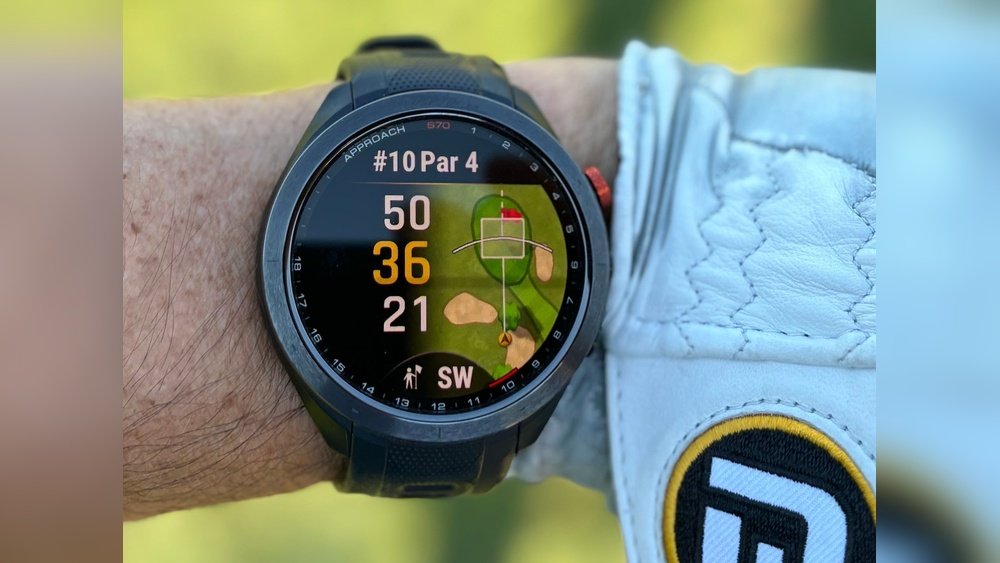
Is your GPS golf watch refusing to connect right when you need it most? It’s frustrating, especially when you rely on it to track your game and improve your swing.
You’re not alone—many golfers face this exact problem. But don’t worry, the solution might be simpler than you think. You’ll discover the common reasons why your GPS golf watch isn’t connecting and how you can fix it quickly. Keep reading to get back on the course with confidence and never miss a shot again.
Common Connection Issues
Connection problems with your GPS golf watch can be frustrating. Many users face common issues that stop their watch from linking to their phone or other devices. Understanding these problems helps to fix them quickly. The issues often come from Bluetooth, software, battery, or compatibility. Each area can cause the watch to fail connecting properly.
Bluetooth Problems
Bluetooth is the main way your watch connects to other devices. Weak signals or interference can block connection. Sometimes, the watch or phone Bluetooth is off. Restarting Bluetooth on both devices can help. Pairing the watch again often solves many connection troubles.
Software Glitches
Software bugs or outdated apps cause connection errors. Your watch and phone need the latest software updates. Updates fix bugs and improve performance. Restarting the watch after updating can clear glitches and restore connection.
Battery And Power Concerns
Low battery can stop the watch from connecting. Some watches limit Bluetooth when power is low. Charge your watch fully before trying to connect. Check battery levels on both devices for better results.
Compatibility Challenges
Not all watches work with every phone or app. Check if your watch supports your phone’s operating system. Some older models do not connect to new phones. Verify app requirements before pairing to avoid issues.
Troubleshooting Basic Steps
When your GPS golf watch does not connect, start with basic troubleshooting steps. These simple actions often fix common problems fast. Follow each step carefully to help your watch connect properly.
Restarting The Watch
Turn off your golf watch completely. Wait for 10 seconds. Turn it back on. Restarting can clear minor software glitches that block connection.
Checking Bluetooth Settings
Make sure Bluetooth is on both your watch and phone. Check if the devices are paired correctly. Remove old devices if there are too many. This helps avoid connection conflicts.
Updating Firmware And Apps
Check for updates on your watch and its app. Outdated software can cause connection issues. Install the latest updates to improve performance and fix bugs.
Ensuring Proper Charging
Verify the watch battery is charged. Low power can stop the watch from connecting. Use the original charger and cable to charge fully before trying again.
Advanced Fixes
Advanced fixes help solve connection problems that simple steps cannot. These methods reset your device and clear any hidden issues. They take a little more effort but often restore full function. Follow these steps carefully for the best results.
Resetting To Factory Settings
Resetting your GPS golf watch to factory settings erases all data. This step clears bugs or glitches causing connection failures. Before you reset, back up any important information. After reset, set up your watch as new. This often restores smooth connection with your phone and apps.
Re-pairing With Your Smartphone
Re-pairing disconnects and then reconnects your watch to your phone. Start by forgetting the watch in your phone’s Bluetooth settings. Turn off Bluetooth on both devices, then turn it back on. Search for your watch on the phone and pair again. This refreshes the connection and fixes pairing errors.
Clearing App Cache And Data
Clearing app cache removes temporary files that may cause issues. Go to your phone’s settings, find the golf watch app, and clear cache first. If problems persist, clear app data to reset the app completely. This step removes corrupted files that block proper syncing. Relaunch the app and try connecting again.
Preventive Measures
Taking preventive measures helps keep your GPS golf watch working well. Simple steps protect your device from common connection problems. These easy habits save time and avoid frustration during your game.
Regular Software Updates
Keep your watch’s software up to date. Updates fix bugs and improve connection stability. Check for updates often in the watch settings or app. Download and install updates as soon as they are available. Updated software helps your watch connect to satellites smoothly.
Proper Storage And Handling
Store your golf watch in a dry, cool place. Avoid exposing it to extreme heat or moisture. Handle the watch gently to prevent damage to internal parts. Use the protective case if provided. Proper care helps keep sensors and antennas working well.
Avoiding Interference
Stay away from devices that cause signal interference. Keep your watch away from metal objects or strong magnetic fields. Turn off other Bluetooth or Wi-Fi devices nearby if connection problems occur. Clear surroundings help your watch find GPS signals faster.
When To Seek Professional Help
Sometimes, your GPS golf watch may not connect despite all efforts. This can be frustrating. Knowing when to seek professional help saves time and stress. It helps avoid damage or voiding your warranty. If basic troubleshooting fails, experts can offer solutions beyond your reach.
Contacting Customer Support
Customer support teams have the tools to fix connection problems. They can guide you through advanced steps. They may identify device-specific issues quickly. Keep your watch model and purchase details ready. Explain the problem clearly and mention all troubleshooting done. Support staff can also update your device software remotely. Contacting them early can prevent further issues.
Warranty And Repair Options
Check if your watch is under warranty before attempting repairs. Warranty covers defects and hardware failures. Unauthorized repairs may void this protection. Use official service centers for repairs or replacements. Many brands offer free repairs within warranty. Out-of-warranty devices may require paid service. Always ask about repair costs and timelines beforehand. This helps plan your next steps without surprises.
Frequently Asked Questions
Why Won’t My Gps Golf Watch Connect To Satellites?
Your watch may need a clear sky view to detect satellites. Move outdoors, avoid tall buildings or trees. Restart the watch and give it a few minutes to establish a connection.
How Do I Fix Bluetooth Connection Issues With My Golf Watch?
Ensure your watch and phone Bluetooth are enabled and close. Restart both devices, forget and re-pair the watch. Update the watch firmware and phone app for better compatibility.
Can Low Battery Cause Gps Golf Watch Connection Problems?
Yes, a low battery can reduce GPS accuracy and connectivity. Charge your watch fully before use. Avoid using power-saving modes that might limit GPS functions.
What App Settings Affect My Gps Golf Watch Connection?
Check app permissions for location access. Enable background app refresh to keep connections active. Make sure your app is updated to the latest version.
Conclusion
A GPS golf watch may fail to connect for many reasons. Check your Bluetooth and app settings first. Make sure your watch has enough battery power. Restart your devices to refresh connections. Keep the watch’s software updated for best results.
Sometimes, simple fixes solve the problem quickly. Stay patient and try these tips step by step. This will help you enjoy your golf rounds without interruptions. Your watch will work smoothly with proper care and attention.


