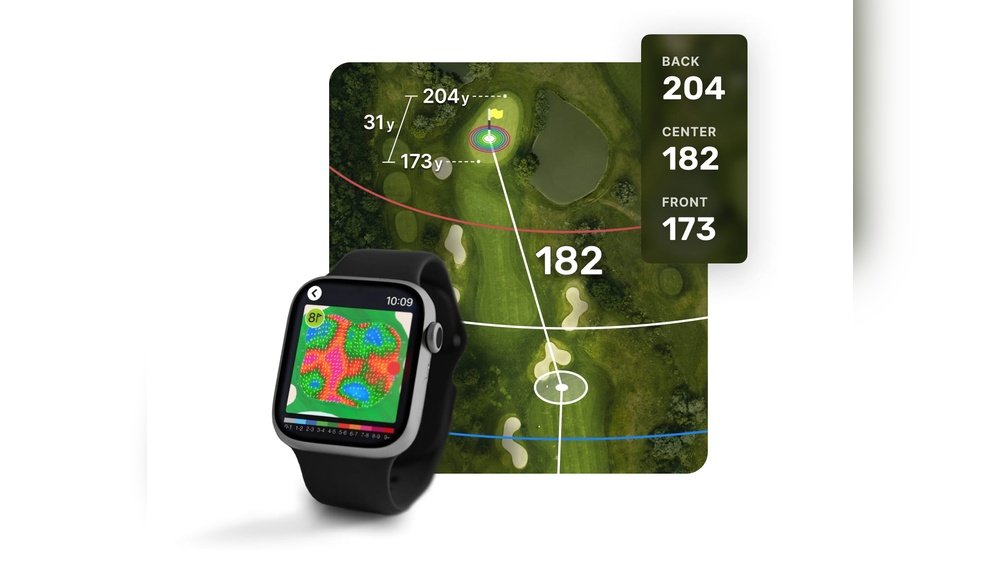
If you want to improve your golf game, knowing how to read yardages on your GPS golf watch is a game-changer. Imagine having precise distance information right on your wrist, helping you choose the perfect club and make smarter shots every time.
But if you’re new to these watches, the numbers and symbols can feel confusing. Don’t worry—this guide will show you exactly how to read and use those yardages with ease. By the end, you’ll have the confidence to trust your GPS watch and lower your scores on the course.
Keep reading to unlock the full potential of your golf watch!

Choosing The Right Gps Golf Watch
Choosing the right GPS golf watch can improve your game by giving accurate yardages. A good watch helps you make better shots and manage the course well. It should fit your needs and be easy to use on the course. The right watch saves time and gives confidence in your play.
Key Features To Look For
First, check the accuracy of yardage data. The watch should provide clear distances to hazards, greens, and fairways. Look for a model with a bright, easy-to-read screen. Battery life matters. Choose one that lasts for many rounds without charging. Water resistance is important to handle all weather conditions. Also, consider extra features like score tracking and shot measurement. Simplicity in controls helps during fast play.
Top Brands And Models
Some brands have strong reputations for GPS golf watches. Garmin offers reliable models with detailed course maps. Bushnell provides watches focused on accuracy and durability. SkyCaddie models often include large screens and user-friendly interfaces. Callaway is known for affordable watches with good features. Each brand has several models to fit different budgets and needs.

Setting Up Your Gps Golf Watch
Setting up your GPS golf watch correctly is essential for accurate yardage readings. A well-prepared watch helps you make better decisions on the course. Follow simple steps to get started and enjoy precise measurements.
Initial Calibration
Turn on your golf watch and allow it to find satellites. This process may take a few moments. Stay outside with a clear view of the sky for faster satellite connection. Proper calibration ensures the watch shows accurate distances.
Set your preferences like units (yards or meters) and time zone. Enter your height and wrist preference if the watch asks. These details help the watch work better during your game.
Course Download And Updates
Connect your watch to the internet or your phone app. Download the golf course you will play on. Most watches have thousands of courses available. Always check for updates before playing. Updated courses have the latest layout and hazards.
Keep your watch software current. Updates improve performance and fix bugs. Regularly updating the course data and watch firmware ensures accurate yardage readings every round.
Interpreting Yardage Data
Interpreting yardage data on a GPS golf watch helps players make smarter shots. This data shows the distance to different points on the course. Understanding these numbers can improve your accuracy and course management. The key is to know what each yardage means and how to use it during play.
Front, Middle, And Back Yardages
Golf watches often display distances to the front, middle, and back of the green. The front yardage shows how far it is to the green’s edge closest to you. The middle yardage gives the distance to the center of the green. The back yardage tells you how far to the far edge of the green. Knowing these helps you choose the right club and target spot.
Hazard And Layup Distances
Yardages also include distances to hazards like bunkers, water, and rough areas. These numbers warn you about trouble spots on your path. Layup distances guide you on where to stop before a hazard. This helps avoid risky shots and keeps you safe on the course. Reading these distances helps plan safer, smarter shots.
Using Yardages For Club Selection
Using yardages from your GPS golf watch helps you pick the right club for each shot. It shows how far you are from the hole or other points on the course. This information makes your club choice smarter and more accurate.
Yardages give a clear idea of the distance you need to cover. Knowing this distance helps avoid overshooting or falling short. It also boosts your confidence with every swing.
Matching Distances To Clubs
Each golf club hits the ball a certain distance. Your GPS watch shows the exact yardage to the target. Compare this yardage with your average shot distance for each club.
For example, if the watch says 150 yards, choose the club that usually hits around 150 yards. This method reduces guesswork and improves your shot accuracy. Keep track of your typical distances for each club during practice rounds.
Adjusting For Conditions
Weather and terrain affect how far the ball travels. Wind, rain, or uphill shots can reduce distance. Your GPS yardage stays the same, but you must adjust your club choice.
Use a stronger club if the wind pushes the ball back. Choose a softer club for downhill shots or with tailwind. Always think about conditions before making your final decision.
Advanced Tips For Accuracy
Getting the most accurate yardages from your GPS golf watch can improve your game. Basic use is simple, but advanced tips help fine-tune distance readings. Small adjustments can lead to better club choices and fewer mistakes on the course.
Gps Signal Optimization
Good GPS signal is key for accurate yardages. Start by giving your watch time to find satellites before your round. Avoid tall buildings and dense trees, which block signals. Keep the watch on your wrist, not in your bag. This helps maintain a clear line to satellites. Resetting the GPS connection at the start of each hole can fix small errors. Update your watch’s software regularly to improve GPS function. These steps reduce signal drops and improve yardage precision.
Manual Yardage Adjustments
Sometimes, the watch distance may not match what you see on the course. Use manual adjustments to correct this. Most GPS watches let you move the target point on the map. Shift the marker to where the flag or hazard really is. This ensures the watch shows the exact distance. Check distances with your rangefinder or course markers. Enter these numbers into your watch if it allows. Manual tweaks help you trust your yardages more during play.
Common Mistakes To Avoid
Reading yardages on a GPS golf watch can improve your play. Yet, many golfers make mistakes that reduce its usefulness. Avoiding these errors helps you use your watch better. Understanding common pitfalls keeps your game on track.
Overreliance On Technology
Relying too much on your GPS watch can hurt your game. Technology is helpful but not always perfect. Sometimes signals are weak or data is outdated. Trust your eyes and experience, not just the watch. Use the watch as a guide, not a rule.
Ignoring Course Variations
Golf courses change over time and by weather. Yardages on your watch might not match the real situation. Hills, wind, and course setup affect distances. Always check the course conditions before choosing a club. Adjust your shots based on what you see and feel.
Integrating Yardage Data Into Your Strategy
Integrating yardage data into your golf strategy helps improve your shots. Your GPS golf watch gives you exact distances to hazards, greens, and fairways. Using this data smartly can reduce mistakes and boost your confidence on the course.
Pre-shot Planning
Before each shot, check the yardage on your watch. Know the distance to the target and any obstacles nearby. Choose the right club based on these numbers. Plan your swing power to match the distance. Visualize your shot and commit to your decision. This preparation helps avoid surprises during the swing.
Post-shot Analysis
After each shot, review the yardage data on your watch. Compare the actual distance with the planned one. Notice if your shot went shorter or farther than expected. Use this info to adjust your next shot choice. Learn from mistakes to improve accuracy. Tracking your shots over time builds better course knowledge.
Frequently Asked Questions
How Do Gps Golf Watches Measure Yardages Accurately?
GPS golf watches use satellite signals to determine your exact location. They calculate distances between you and key course points. This provides accurate yardage to hazards, greens, and fairways. The data updates in real time as you move on the course.
Can I Customize Yardage Settings On My Golf Gps Watch?
Yes, many golf GPS watches allow yardage customization. You can set preferences for units (yards or meters) and specific course data. Some watches let you mark personal target distances. This helps tailor the watch to your playing style and course conditions.
Why Are Yardages On Gps Watches Different From Rangefinders?
GPS watches rely on satellite data, while rangefinders use laser technology. GPS provides consistent distance estimates but may vary slightly due to signal quality. Rangefinders offer pinpoint accuracy to specific targets. Both tools complement each other for better course management.
How Often Should I Update Course Data On My Gps Golf Watch?
Update your GPS watch course data regularly, ideally before each round. Course layouts can change due to maintenance or redesign. Updated data ensures yardages remain accurate and reliable. Most watches connect via smartphone or computer for easy updates.
Conclusion
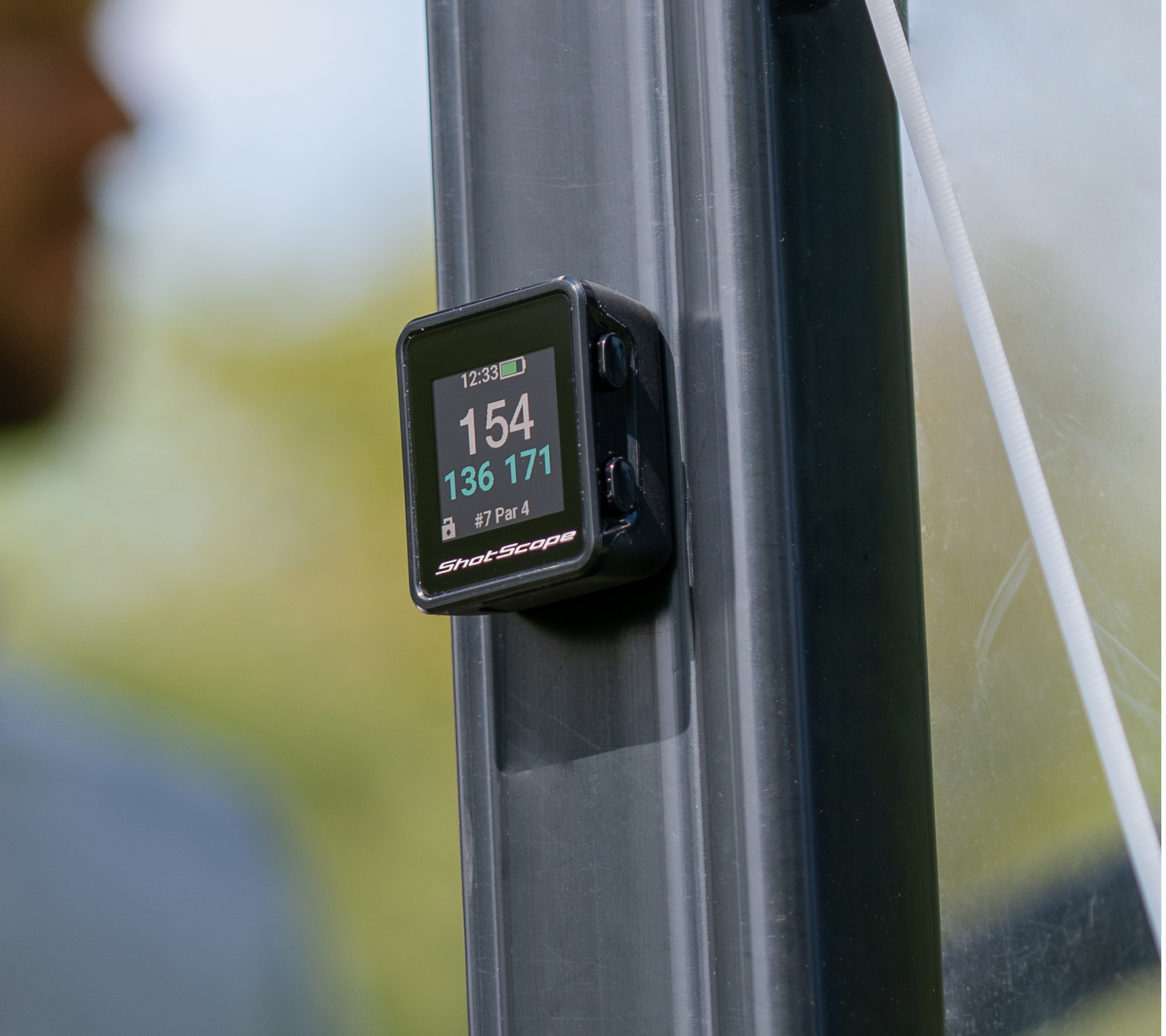
Reading yardages on a GPS golf watch is simple with practice. Focus on the screen and understand the key numbers shown. Use the watch to check distances to the green, hazards, and doglegs. This helps you choose the right club every time.
Keep your watch updated for the best data. With patience, you will read yardages faster and improve your play. Practice on the course and trust your watch’s guidance. Golf becomes easier when you know your exact distances. Keep enjoying the game and watch your confidence grow.


