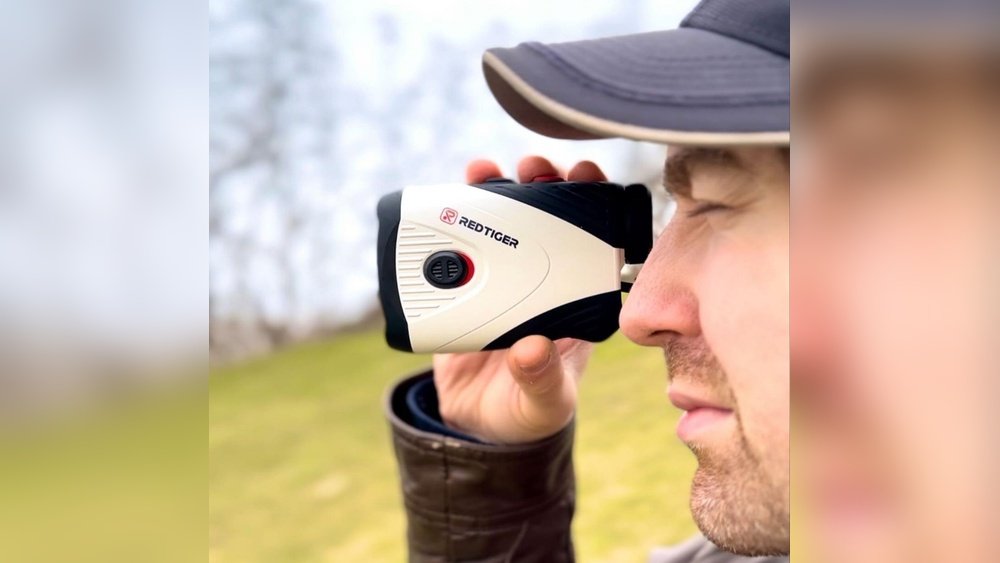
If you want your golf rangefinder to work perfectly every time you step onto the course, you need to take good care of it. Your rangefinder is a precise tool that helps you measure distances accurately, giving you an edge in your game.
But without proper maintenance, it can lose its accuracy or even stop working altogether. You’ll discover simple and effective ways to keep your golf rangefinder in top shape. By following these easy tips, you’ll ensure your device stays reliable, helping you make smarter shots and enjoy your rounds more.
Keep reading to learn how to protect your investment and boost your performance on the course.
Cleaning Your Rangefinder
Cleaning your golf rangefinder keeps it working well and accurate. Dirt and smudges can blur the lens and affect readings. Regular cleaning helps maintain clear views and extends the device’s life.
Safe Lens Cleaning Techniques
Use a soft, clean cloth to wipe the lens gently. Avoid pressing hard to prevent scratches. Never use your shirt or rough materials on the lens. Use a gentle touch to protect the glass surface.
Removing Dirt And Debris
Blow off loose dirt with a gentle air blower or soft brush. Avoid using your breath to prevent moisture. For stuck debris, dampen a cloth slightly with water. Wipe carefully without rubbing too much.
Using The Right Cleaning Tools
Use microfiber cloths designed for optics. Avoid paper towels or tissues that can scratch the lens. Use lens cleaning solutions made for cameras or glasses. Keep cleaning tools clean to avoid spreading dirt.

Battery Care
Battery care is key to keeping your golf rangefinder working well. Good battery habits help your device last longer. They also ensure accurate distance readings every time you play. Taking simple steps can save you time and money.
Choosing The Best Batteries
Pick batteries that match the rangefinder’s requirements. Use high-quality alkaline or lithium batteries for longer life. Avoid cheap or old batteries that may leak or drain fast. Check the user manual for recommended battery types. Proper batteries keep your device steady and reliable.
Proper Battery Installation
Insert batteries with the right polarity. Follow the plus (+) and minus (–) signs inside the battery compartment. Do not force batteries into place. Keep battery contacts clean and dry to avoid corrosion. Close the battery cover tightly to protect against dust and moisture.
When To Replace Batteries
Change batteries when the rangefinder shows dim or flickering display. Slow startup or weak laser signals also mean low power. Remove batteries if you won’t use the device for many weeks. Store batteries separately to avoid leakage damage. Fresh batteries ensure clear, fast measurements every round.
Storage Tips
Proper storage is key to keeping your golf rangefinder in top shape. Careful storage helps avoid damage and extends the device’s life. Follow these simple tips to keep your rangefinder ready for every round.
Protecting From Moisture
Moisture can harm the electronics inside your rangefinder. Store it in a dry place to prevent rust and corrosion. Avoid leaving it in damp areas like garages or basements. Use silica gel packs to absorb moisture if needed.
Ideal Storage Conditions
Keep the rangefinder in a cool, stable environment. Avoid direct sunlight or extreme temperatures, which can damage the battery and screen. Store it away from dust and dirt to prevent clogging the lens or buttons.
Using Protective Cases
A protective case guards your rangefinder against bumps and drops. Choose a case with soft padding and a secure closure. Always store the device inside the case when not in use to avoid scratches and impacts.

Regular Maintenance Checks
Regular maintenance checks keep your golf rangefinder working well. These checks catch small problems early. They help your device stay accurate and last longer. Spend time on simple tasks to avoid costly repairs later. Here are key steps to follow during regular maintenance.
Inspecting For Damage
Look over your rangefinder for cracks or dents. Check the lens for scratches or dirt. Small damages can cause big problems with accuracy. Clean the lens gently with a soft cloth. Avoid using harsh chemicals that can harm the surface. Replace any worn or broken parts quickly.
Checking Calibration
Calibration keeps the distance readings correct. Test your rangefinder by measuring a known distance. Compare the reading to the actual distance. Adjust the device settings if readings are off. Regular calibration ensures you get reliable results on the course.
Ensuring Functional Buttons
Press all buttons to see if they work smoothly. Sticky or unresponsive buttons can stop your device from working right. Clean around the buttons to remove dirt and debris. Use a soft brush or compressed air. Fix or replace faulty buttons to keep control easy and fast.
Handling And Usage Habits
Proper handling and usage habits help keep your golf rangefinder working well. Careful use extends its life and improves performance. Simple habits protect the device from damage.
Avoiding Drops And Impacts
Drops can damage the internal parts of a rangefinder. Avoid dropping it on hard surfaces. Handle it gently during use and transport. Use a padded case to protect it from shocks. Keep it away from rough handling or accidental hits.
Proper Carrying Techniques
Carry the rangefinder in a secure case or pouch. Use a strap or clip to attach it to your bag. Avoid holding it loosely in your hand while walking. Secure carrying prevents falls and scratches. Always place it in a safe spot when not in use.
Using In Suitable Weather
Rangefinders work best in dry weather. Avoid using them in heavy rain or extreme cold. Moisture can damage electronic parts and lenses. If wet, dry the device carefully with a soft cloth. Store it in a dry place after use to prevent rust and mold.
When To Seek Professional Service
Knowing when to seek professional service for your golf rangefinder is important. Some problems need expert help to fix. Trying to repair complex issues at home can cause more damage.
Professional service keeps your device accurate and reliable. It also helps extend the life of your rangefinder. Watch for specific signs that show your rangefinder needs expert attention.
Signs Of Malfunction
Your rangefinder may show signs like blurry or no display. It might not lock onto targets properly. Sudden power loss or failure to turn on are warning signs. Inaccurate distance readings also mean trouble. Strange noises or loose parts need checking. These issues need professional diagnosis and repair.
Authorized Repair Services
Use only authorized repair centers for service. They have trained technicians and original parts. Repairs from unauthorized places can void your warranty. Authorized centers ensure your device works as it should. They follow manufacturer guidelines for best results.
Warranty And Support Options
Check your rangefinder’s warranty before seeking repairs. Some issues are covered under warranty at no cost. Contact customer support for help with warranty claims. They may offer repair, replacement, or advice. Keep your purchase receipt and warranty papers safe for easy service.
Frequently Asked Questions
How Often Should I Clean My Golf Rangefinder?
Clean your golf rangefinder after every few uses. Use a soft, dry cloth to wipe the lens gently. Avoid harsh chemicals that can damage the optics. Regular cleaning ensures accurate readings and prolongs the device’s lifespan.
What Is The Best Way To Store A Golf Rangefinder?
Store your golf rangefinder in a cool, dry place. Use the protective case provided to avoid dust and moisture. Keep it away from extreme temperatures to maintain battery life and device performance.
Can I Use A Golf Rangefinder In Rainy Conditions?
Most golf rangefinders are water-resistant but not waterproof. Light rain usually won’t harm the device, but avoid heavy rain exposure. Always dry your rangefinder thoroughly after use in wet conditions to prevent damage.
How Do I Maintain The Battery Life Of My Rangefinder?
Turn off your golf rangefinder when not in use to save battery. Remove batteries if storing the device for extended periods. Regularly check and replace batteries to ensure optimal performance on the course.
Conclusion
Maintaining your golf rangefinder keeps it working well for years. Clean the lens gently to avoid scratches. Store it in a dry, safe place after each use. Check the batteries often and replace them when needed. Avoid dropping or hitting your device.
Regular care saves money and improves your game. Simple steps help your rangefinder stay accurate and reliable. Take time for small checks; it makes a big difference. Enjoy better shots with a well-kept rangefinder every time you play.


