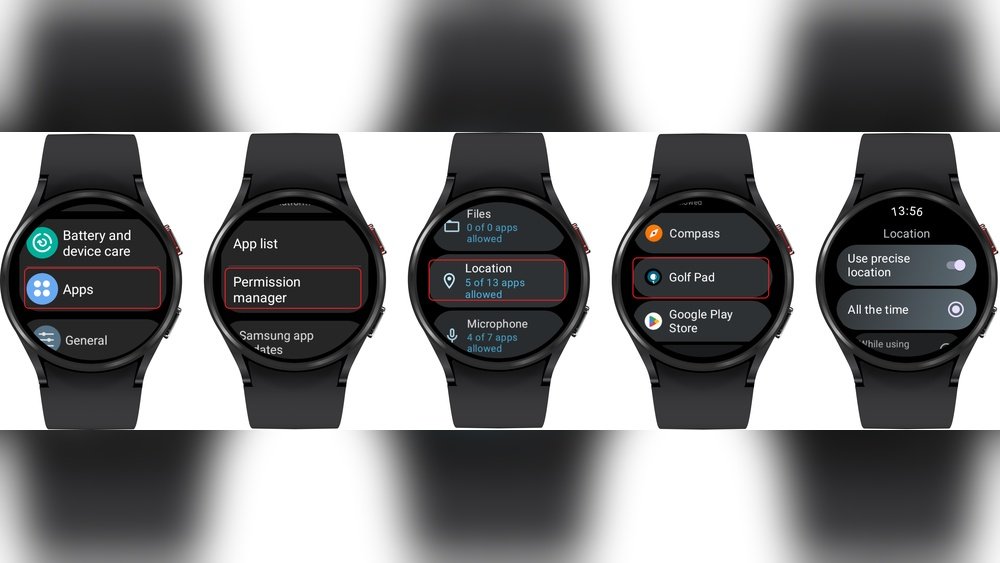
Are you tired of your golf watch losing GPS signal right when you need it most? A weak or spotty GPS can throw off your entire game, making it hard to track distances and improve your swing.
But don’t worry—fixing GPS signal issues on your golf watch is easier than you think. You’ll discover simple, effective steps to get your GPS back on track. Keep reading to make sure your watch works perfectly every time you hit the course.

Common Gps Problems
GPS problems on golf watches can disrupt your game and cause frustration. These issues can stop your watch from tracking your location accurately. Understanding common problems helps fix them quickly. Below are the main causes of GPS signal troubles.
Signal Loss Causes
Signal loss happens when your watch cannot connect to satellites. Tall buildings, trees, and hills block signals. Bad weather like heavy clouds also weakens GPS signals. Moving too fast or being indoors can cause signal drops. Always use your watch in open areas for better signals.
Battery And Power Issues
Low battery power can affect GPS performance. When battery levels drop, the watch may turn off GPS features to save energy. Using power-saving modes may reduce GPS accuracy. Keep your watch fully charged before playing to avoid these problems. Replace old batteries if needed.
Software Glitches
Software bugs can cause GPS errors on your watch. Outdated software may not work well with satellites. Apps or firmware can freeze or crash, blocking GPS signals. Regularly update your watch software for better performance. Restart your watch to clear temporary glitches.
Improving Signal Reception
Improving GPS signal reception is key to getting accurate data from your golf watch. A weak signal can cause wrong distances and slow updates. Small changes can make a big difference in how your watch connects to satellites. Focus on how you wear the watch and your surroundings to boost signal strength.
Optimal Placement On Wrist
Wear your golf watch on the wrist that faces the open sky most. Avoid wearing it under your sleeve or jacket. The signal needs a clear path to the satellites. Keep the watch snug but not too tight. This stops it from moving and losing signal during swings.
Avoiding Obstructions
Metal objects and thick clothing block GPS signals. Avoid wearing your watch near metal bracelets or rings. Stay away from dense trees or buildings that cover the sky. These objects can interfere with the watch’s ability to find satellites. Clear space around your wrist helps maintain a strong signal.
Using Clear Sky Views
Stand or move to open areas with a wide view of the sky. Avoid playing near tall buildings or heavy tree cover. Satellites need a direct line of sight to your watch. Open spaces allow faster and more accurate GPS connection. Check your surroundings before you start your round.
Software Fixes
Software problems often cause GPS signal issues on golf watches. Fixing these problems can improve your watch’s accuracy. Simple software steps can restore the GPS signal quickly. These fixes do not require technical skills and work for most golf watch brands.
Updating Firmware
Firmware is the software inside your golf watch. It controls how the watch works. Updates fix bugs that affect GPS performance. Connect your watch to a computer or use its app to check for updates. Install any available updates to keep your watch running smoothly.
Resetting The Device
Resetting your golf watch clears temporary errors. It restores the watch to its default settings. This process can fix GPS glitches. Find the reset option in the watch menu or manual. After resetting, set up your watch again and check the GPS signal.
Calibrating Gps Settings
Calibration helps your watch find satellites faster. It adjusts the GPS for better accuracy. Open the GPS settings on your watch. Follow instructions to start calibration. Move to an open area with a clear sky during this step. Calibration improves signal strength and tracking on the course.

Battery And Power Tips
Battery and power play a big role in fixing GPS signal problems on golf watches. A weak battery can cause the GPS to work poorly or stop working. Keeping your watch powered well helps the GPS stay accurate and reliable. Follow these tips to keep your golf watch charged and ready.
Charging Best Practices
Charge your golf watch regularly to keep the battery full. Avoid letting the battery drop to zero often. Use the charger that comes with your watch for the best fit and power. Charge in a cool, dry place to protect the battery health. Unplug the watch once fully charged to avoid overcharging.
Battery Saving Modes
Many golf watches have battery saving modes. Turn these on to extend battery life during long rounds. These modes reduce screen brightness and limit background tasks. GPS updates might slow down but will still work. Use battery saving mode when you do not need full power.
Replacing Batteries
Some golf watches have replaceable batteries. Check your watch manual to see if you can replace the battery yourself. Use batteries recommended by the watch maker for safety and performance. If the battery no longer holds charge, replacing it can fix GPS signal problems. Take the watch to a professional if you are unsure about replacing the battery.
Environmental Factors
Environmental factors can affect the GPS signal on your golf watch. These factors may block or weaken the signal. Understanding these can help you fix GPS issues faster. Let’s explore the main environmental causes.
Weather Impact
Weather can change GPS signal strength. Rain or heavy clouds may reduce signal quality. Strong winds do not affect GPS, but storms might. Snow and fog can also weaken the signal. Always check the weather before your game.
Interference From Buildings
Tall buildings can block GPS signals easily. Urban areas with many skyscrapers cause signal loss. Trees and hills may also interfere but less than buildings. Open spaces give the best GPS reception. Try to avoid playing near large structures.
Troubleshooting In Different Locations
Test your golf watch in various places. A park or open field offers good GPS signals. If the watch works well there, the problem is nearby interference. Move to a different spot on the golf course. Check if the GPS signal improves. This helps find the exact cause of signal issues.
When To Seek Professional Help
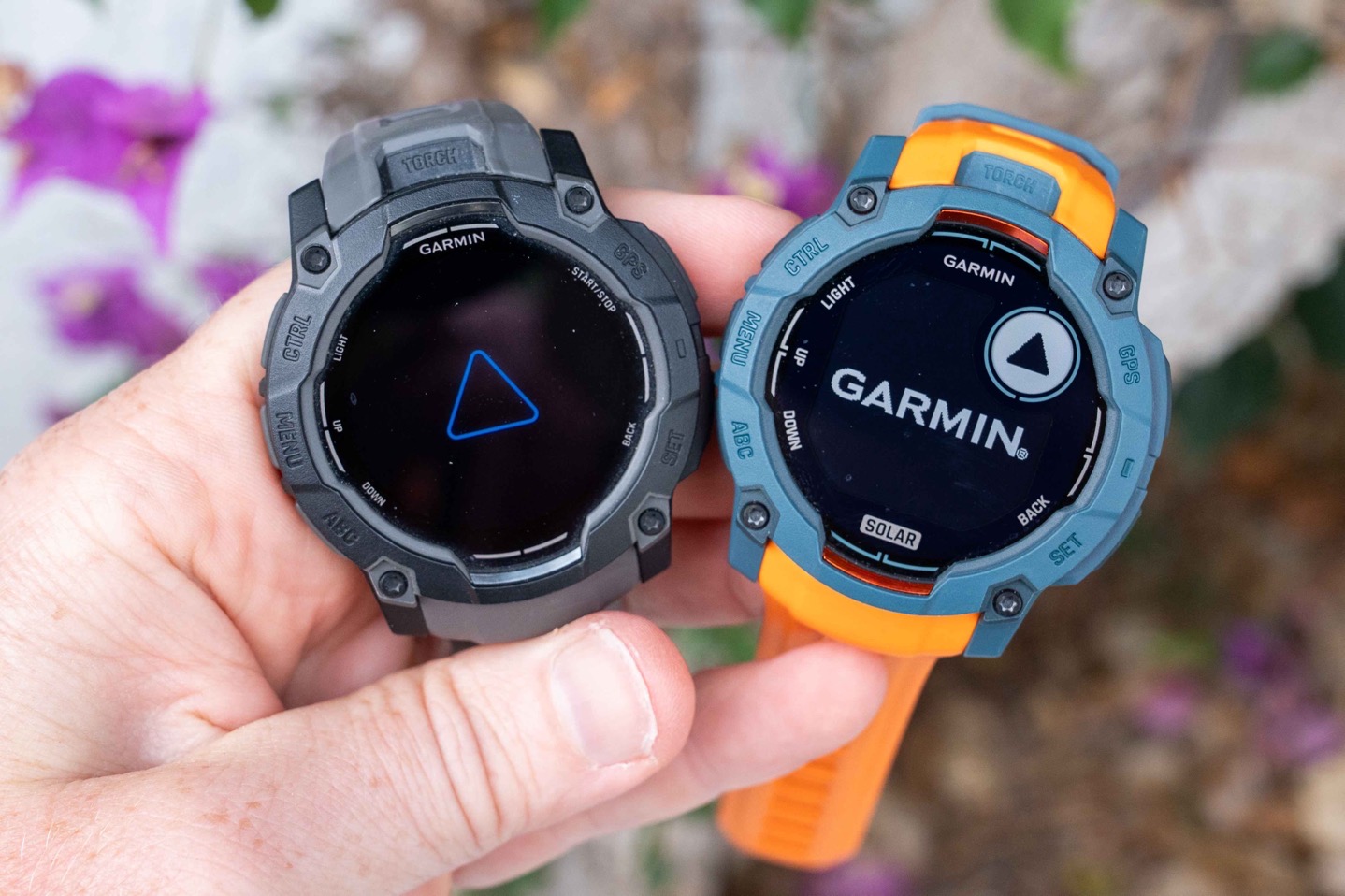
Sometimes, GPS signal problems on golf watches cannot be fixed at home. Persistent issues may need expert help. Knowing when to seek professional support saves time and frustration. It also protects your device from further damage.
Warranty And Support Options
Check your golf watch’s warranty status first. Many brands offer free repairs within the warranty period. Contact customer support for guidance. They can provide official solutions or direct you to authorized service centers.
Keep purchase receipts and warranty cards handy. This helps speed up the process. Some companies also offer online chat or phone support for quick answers.
Repair Services
Authorized repair centers have trained technicians. They can fix hardware or software GPS problems. Avoid unauthorized repairs to keep your warranty valid. Repairs may include replacing faulty GPS modules or updating the device firmware.
Ask about repair costs and turnaround time before sending your watch. Some repairs take a few days; others might take longer. Professional repair ensures your device works properly again.
Upgrading Your Device
Older golf watches may struggle with GPS accuracy. Newer models have better technology and improved signal strength. If repairs become frequent, consider upgrading your watch. A new device often offers enhanced features and longer battery life.
Evaluate your needs and budget before upgrading. Choose a watch known for reliable GPS performance. This can reduce future signal problems on the golf course.
Frequently Asked Questions
How Can I Improve Gps Accuracy On My Golf Watch?
To improve GPS accuracy, update your watch’s firmware regularly. Also, ensure a clear view of the sky and avoid tall buildings or trees. Calibrate the watch if needed and use GPS-only mode for better precision.
Why Does My Golf Watch Lose Gps Signal Frequently?
Frequent signal loss often occurs due to obstructions like buildings or dense trees. Interference from electronic devices or outdated software can also cause issues. Resetting the watch and updating its software usually helps restore stable GPS connection.
What Should I Do If My Golf Watch Shows Incorrect Distances?
Incorrect distances may result from poor GPS signal or outdated course maps. Make sure your watch’s software and course data are up to date. Recalibrate the GPS and check for any firmware updates to fix distance errors.
Can Environmental Factors Affect Golf Watch Gps Performance?
Yes, environmental factors like heavy cloud cover, tall buildings, and dense foliage can block GPS signals. Weather conditions such as storms can also interfere. Always use your watch in open areas for optimal GPS performance.
Conclusion
GPS signal issues on golf watches can be fixed with simple steps. Keep your watch updated and fully charged. Make sure you are outside with a clear view of the sky. Restart your device to refresh the connection. Avoid tall buildings or trees that block signals.
Regularly calibrate your watch for better accuracy. These easy actions improve GPS performance quickly. Enjoy more precise tracking on your golf course. Stay patient and follow these tips for best results. Your golf watch will guide you better every round.


