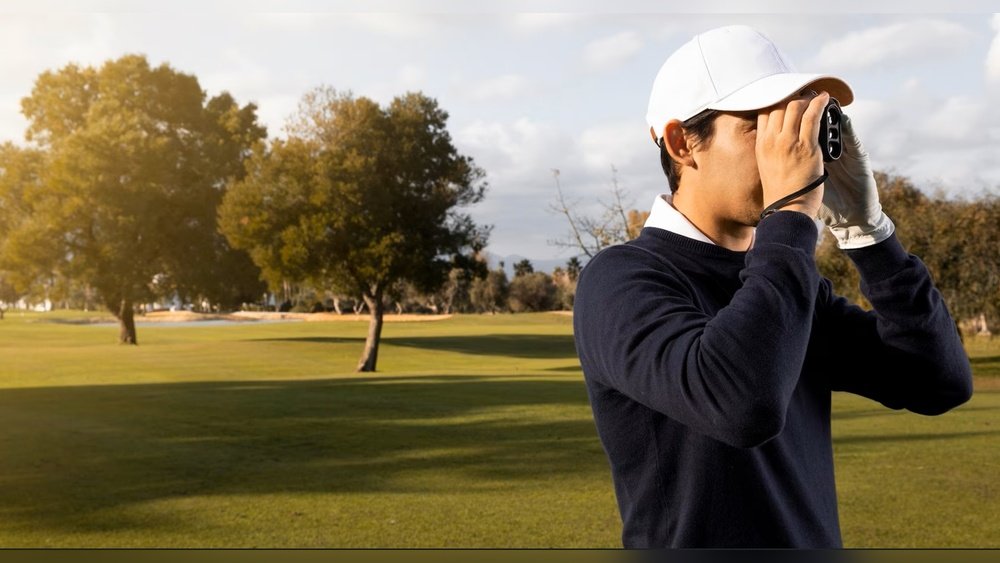
Are you getting inconsistent readings from your golf rangefinder? It’s frustrating when your device doesn’t give you the accurate distance you need to improve your game.
Calibrating your golf rangefinder can make all the difference, helping you hit your shots with confidence every time. In this guide, you’ll discover simple, step-by-step methods to calibrate your device quickly and effectively. Keep reading, and you’ll soon learn how to get the most precise measurements on the course—giving you the edge over your competition.
Choosing The Right Rangefinder
Choosing the right golf rangefinder is key to improving your game. The right tool helps you measure distances accurately and make better shots. It is important to know what type fits your needs and which features affect accuracy. This guide explains the main types and features to consider.
Types Of Golf Rangefinders
There are two main types of golf rangefinders: laser and GPS. Laser rangefinders use a beam of light to measure the distance to the target. They provide precise distance to flags or hazards. GPS rangefinders use satellite data to show distances on a digital map. They offer distances to different points on the course.
Laser rangefinders are great for accuracy. GPS models are better for overall course awareness. Some golfers prefer laser for specific shots. Others like GPS for planning the hole.
Features That Affect Accuracy
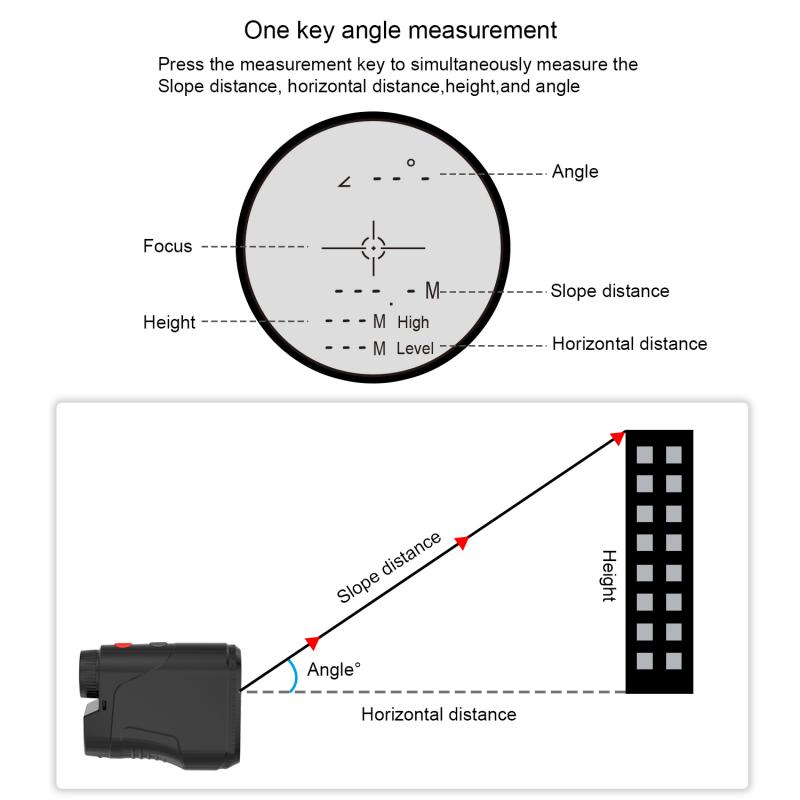
Accuracy depends on several features. Look for a rangefinder with a clear lens and strong magnification. A stable image helps you aim correctly. Some models include slope measurement, which adjusts distance for hills. This feature improves shot selection on uneven terrain.
Another important feature is fast measurement speed. The quicker the rangefinder locks on a target, the better. Easy-to-read displays reduce mistakes. Also, consider weather resistance for use in rain or fog.
Preparing For Calibration
Preparing your golf rangefinder for calibration is a key step. It ensures accurate distance readings on the course. Proper preparation helps avoid errors and saves time during the process.
Selecting A Suitable Location
Choose a flat and open area for calibration. Avoid places with tall trees or buildings nearby. These can block the laser and affect accuracy. A clear view of a known distance target is ideal. Make sure the lighting is good but not too bright. Early morning or late afternoon light works well.
Checking Battery And Settings
Check the battery level before starting. A low battery can cause wrong readings. Replace or recharge the battery if needed. Review the rangefinder’s settings next. Reset to default if unsure. Ensure units are set to yards or meters, as preferred. Confirm any slope or angle features are off for basic calibration.
Step-by-step Calibration Process
Calibrating a golf rangefinder ensures accurate distance readings on the course. This process helps you trust your device and improve your shots. Follow these simple steps to set up your rangefinder correctly.
Setting The Zero Point
First, find a flat, open area on the golf course. Point your rangefinder at a known distance target, such as a flag or marker. Turn on the device and select the calibration mode. Adjust the zero point until the rangefinder matches the actual distance. Repeat this step a few times to confirm accuracy. Setting the zero point is crucial for reliable measurements.
Adjusting For Slope And Elevation
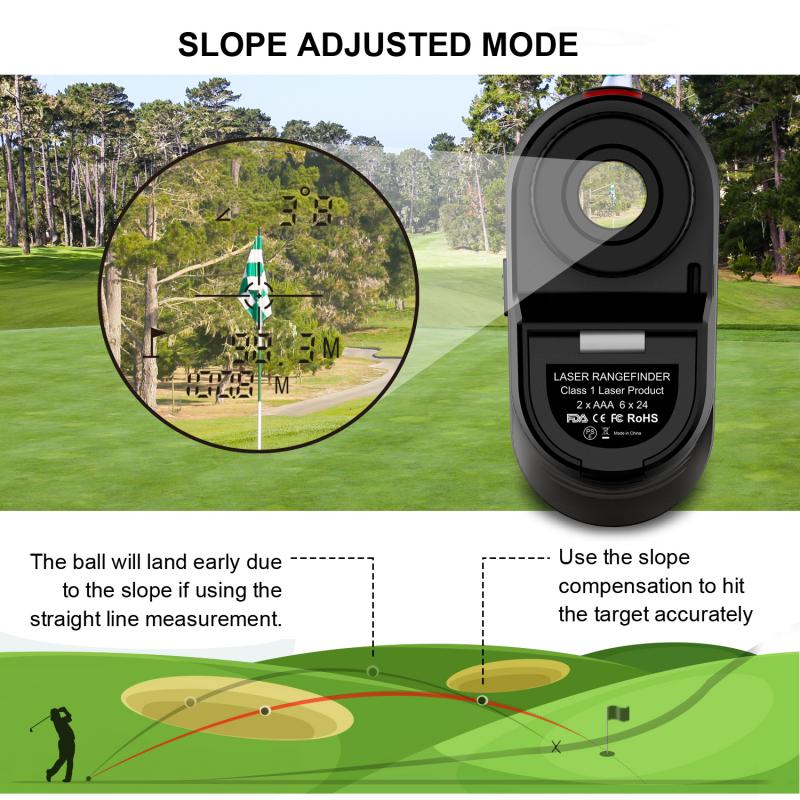
Next, consider the slope and elevation changes on the course. Many rangefinders have a slope mode that compensates for uphill or downhill shots. Turn on slope mode if allowed by your course rules. Use the device to measure the angle of the slope. The rangefinder will adjust the distance reading to reflect the true playing distance. This step helps you choose the right club and improve shot accuracy.
Testing Calibration Accuracy
Testing the calibration accuracy of a golf rangefinder helps ensure precise distance readings. It confirms that your device measures distances correctly. This step is vital for better shot planning and improved performance on the course. Follow simple methods to check if your rangefinder is giving accurate results.
Using Known Distances
Start by measuring distances you already know. Use a tape measure or yardstick to mark a certain distance, like 100 yards. Aim the rangefinder at the marked spot and check the reading. The displayed distance should match the known distance closely. Repeat this test at different distances to verify consistency. This method quickly shows if your device needs adjustment.
Comparing With Course Markers
Most golf courses have distance markers on the fairways or tee boxes. Use these markers as reference points. Aim your rangefinder at a marker and read the distance. Compare this reading to the marker’s stated distance. Small differences are normal, but large gaps mean recalibration is needed. This real-world test helps confirm accuracy during actual play.
Common Calibration Mistakes
Calibrating a golf rangefinder correctly is important for accurate distance readings. Many users make simple mistakes that affect the device’s performance. Avoiding these errors helps you get the best results every time you measure distance on the course.
Ignoring Environmental Factors
Environmental conditions change how your rangefinder works. Bright sunlight, fog, or rain can affect the laser’s accuracy. Calibrating indoors or in poor weather may give wrong results. Always calibrate your device in clear, stable weather. Check for nearby reflective surfaces that can cause false readings. Adjust settings to match the current environment for better accuracy.
Rushing The Calibration Steps
Calibration needs patience. Skipping steps or rushing through them leads to errors. Follow each instruction carefully and take your time. Make sure the rangefinder is steady while calibrating. Double-check readings before finishing the process. A slow, thorough approach ensures your device works perfectly on the course.
Maintaining Calibration Over Time
Keeping your golf rangefinder calibrated over time is key to getting accurate readings. Even small shifts can affect the distance measurement. Regular care helps maintain precision and improves your game.
Regular Calibration Checks
Check the calibration of your rangefinder often. Do this before important rounds or practice sessions. Follow the manufacturer’s steps to adjust settings. Use a known distance or a target to test accuracy. This simple step keeps your device reliable and ready.
Storage And Handling Tips
Store your rangefinder in a cool, dry place. Avoid extreme heat or cold that can harm the device. Keep it in a protective case to prevent scratches and shocks. Handle with care during use. Dropping or hitting it can misalign the calibration.
Advanced Tips For Precision
Advanced tips help improve the accuracy of your golf rangefinder. Precise calibration makes a big difference in your game. Small adjustments can lead to better distance readings and confidence on the course.
Using External Tools
External tools like calibration targets improve your rangefinder’s accuracy. These targets have known distances for easy comparison. Use a tape measure or a laser distance meter to check actual distances.
Place the calibration target at a set distance. Aim your rangefinder at the target and take a reading. Compare the reading to the known distance. Adjust your device settings until they match closely.
This process removes guesswork and ensures your rangefinder works well in different conditions. It helps especially on hilly or wooded courses where distance is tricky to judge.
Customizing Settings For Different Courses
Every golf course has unique features. Adjust your rangefinder settings to fit these variations. Change slope settings to match the course’s elevation changes.
Some devices allow you to store custom profiles. Use these profiles for specific courses you play often. This saves time and gives you more accurate readings.
Turn off slope mode in tournaments if the rules require it. Know your device’s features and switch settings quickly on the course. This flexibility improves your overall performance.

Frequently Asked Questions
How Do I Calibrate A Golf Rangefinder Correctly?
To calibrate a golf rangefinder, first read the user manual carefully. Adjust settings according to distance and slope. Use a known target to test accuracy. Make small adjustments until the readings match the actual distance precisely.
Why Is Rangefinder Calibration Important For Golfers?
Calibration ensures accurate distance measurements, crucial for club selection and shot precision. Properly calibrated rangefinders improve game strategy and confidence. Without calibration, distance errors can lead to poor shot choices and higher scores.
Can I Calibrate A Rangefinder Myself At Home?
Yes, you can calibrate a rangefinder at home. Use a fixed, known distance target like a flagstick or building. Follow the device’s instructions carefully to adjust settings. Repeat tests to confirm consistent and accurate readings.
How Often Should I Recalibrate My Golf Rangefinder?
Recalibrate your rangefinder every few months or after any impact. Changes in temperature and altitude can affect accuracy. Regular calibration ensures optimal performance and reliable distance measurements during your game.
Conclusion
Calibrating your golf rangefinder helps improve your distance accuracy. It ensures better shots and a smoother game. Regular checks keep the device working well over time. Small adjustments can make a big difference on the course. Take your time and follow the steps carefully.
Practice makes perfect. Enjoy more confidence with each swing and better results overall.


