Are you thinking about adding an indoor golf launch monitor to your home but aren’t sure how much space you’ll need? Finding the right spot is key to getting the most out of your setup.
Too little room, and your swing could feel cramped; too much, and you might be wasting valuable space. You’ll discover exactly how much space is ideal for your indoor golf launch monitor. By the end, you’ll know how to create the perfect practice area that feels comfortable and helps improve your game.
Keep reading to make sure your investment fits perfectly into your home and your routine.
Choosing The Right Space
Choosing the right space for your indoor golf launch monitor is very important. The space affects your practice quality and comfort. You need enough room to swing freely and get accurate data. Picking the correct area helps avoid damage to walls or furniture. It also makes the setup easier and safer.
Room Dimensions To Consider
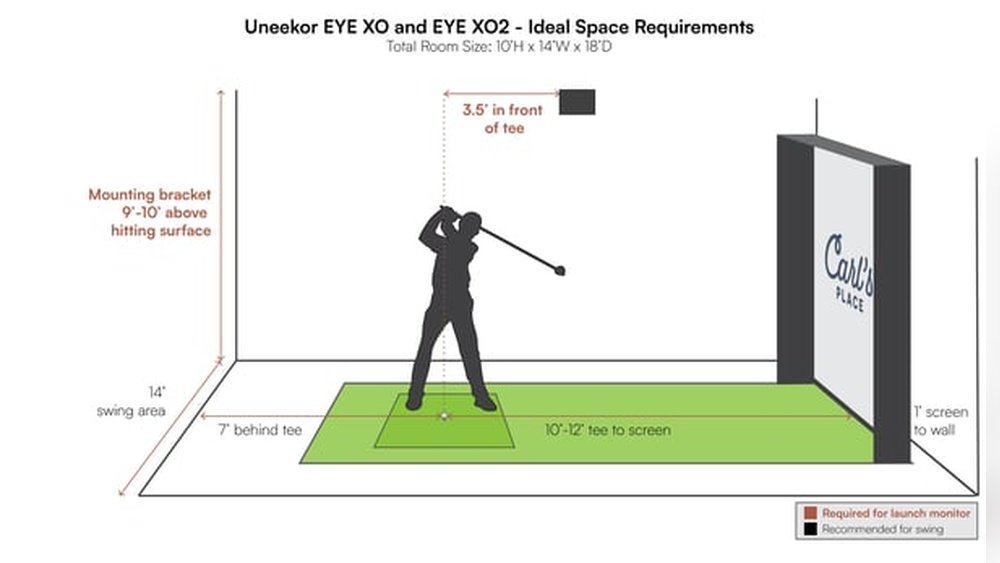
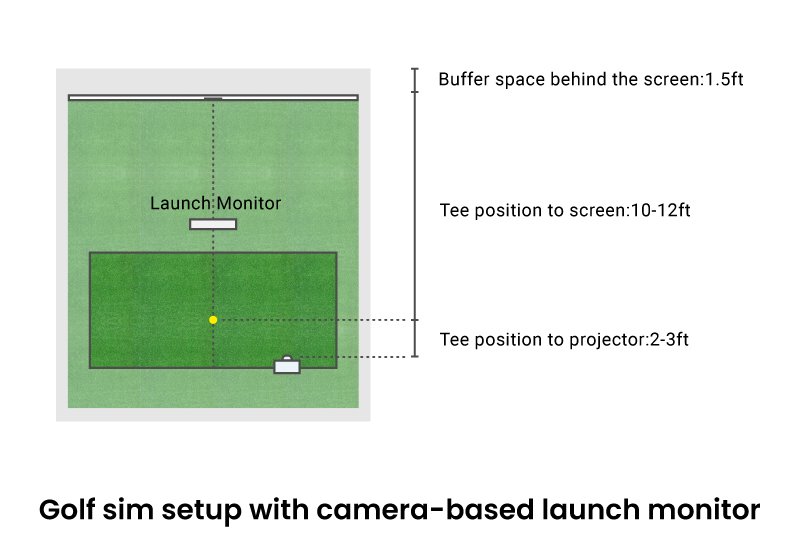
Measure the length and width of the room carefully. Most golf simulators need at least 10 to 12 feet in length. Width should be around 10 feet or more for a natural swing. A narrow space can limit your swing and affect results. Extra space allows better ball flight and movement.
Ceiling Height Requirements
Ceiling height is very important for a full golf swing. A minimum of 8 feet is needed for most players. Taller players may require 9 feet or more. Low ceilings can block your swing or cause discomfort. Make sure there is space for your club to move freely upward.
Flooring And Surface Options
Choose flooring that supports your stance and movement. Carpets can soften your swing but may affect ball roll. Hard floors like wood or tile offer a stable surface. Use a golf mat to protect the floor and improve feedback. Mats also help protect your clubs and golf balls.
Launch Monitor Size And Setup
Choosing the right space for your indoor golf launch monitor is important. The size and setup affect how well the device works. A proper setup gives accurate data and a better practice experience. Understanding the size and placement of your launch monitor helps plan your indoor golf area efficiently.
Different launch monitors come in various sizes. Each type needs a specific setup for best results. Knowing these details helps you create a space that fits your needs and room size.
Types Of Launch Monitors
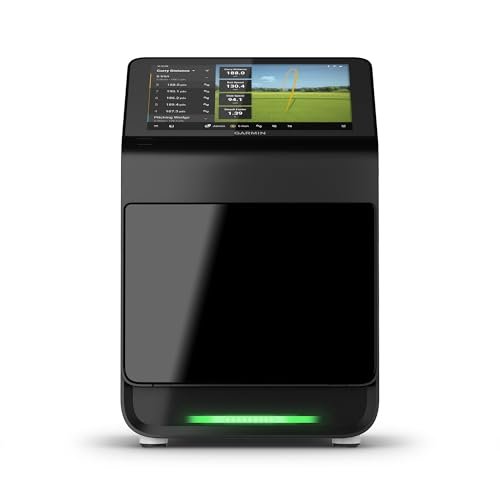
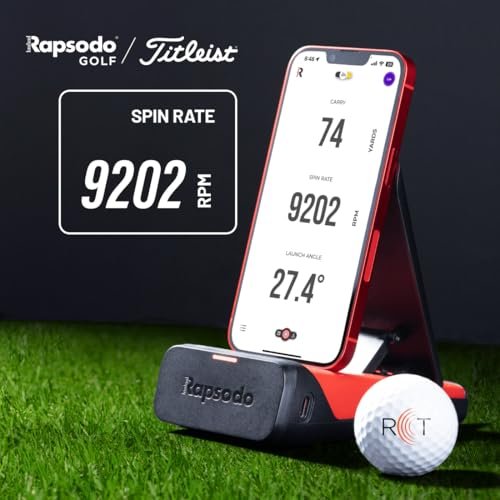
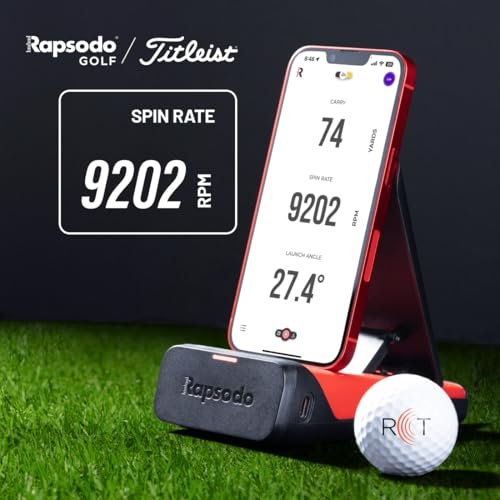
Launch monitors come in three main types: radar-based, camera-based, and photometric. Radar-based models are often larger and need more space behind the golfer. Camera-based monitors are smaller and sit near the hitting area. Photometric monitors use high-speed cameras and need a clear view of the ball. Each type affects the space you need for setup.
Positioning For Accurate Readings
Place the launch monitor in the right spot to get precise data. Radar-based monitors usually go behind or beside the golfer. Camera-based monitors stay close to the hitting area, often on the ground or mounted. Make sure the device has a clear line of sight to the ball and club. Avoid obstacles that block sensors or cameras.
Distance From Hitting Area
The distance between the launch monitor and the hitting area varies by model. Radar-based devices need about 6 to 10 feet behind the ball. Camera-based monitors sit 1 to 3 feet from the ball. Check the manufacturer’s guidelines for exact distances. Proper distance ensures the monitor captures ball flight and club data correctly.
Swing And Safety Space
Creating the right space for your indoor golf launch monitor matters a lot. Swing and safety space ensures you enjoy playing without worry. Proper room helps you swing freely and avoids accidents. Let’s explore key points about space for safe and smooth play.
Swing Clearance Needs
Your swing needs enough room to move comfortably. Aim for at least 10 feet of length and 6 feet of width. This space lets you take a full swing without hitting walls or objects. Also, consider the height. A ceiling height of 9 feet or more keeps your club from touching the top.
Avoiding Obstructions
Keep the area clear of furniture and decorations. Remove items that might block your swing or cause injury. Check for low-hanging lights or ceiling fans. These can interfere with your club or your motion. A clean, open area lets you focus on your game safely.
Safety Measures For Indoor Play
Use soft mats to protect floors and reduce club bounce. Install impact screens designed for golf balls. These prevent damage to walls and windows. Keep children and pets away from the swing zone. Good lighting helps you see clearly and avoid accidents.
Lighting And Environment
Lighting and environment play a big role in setting up an indoor golf launch monitor. The right lighting helps the device track the ball accurately. The room’s atmosphere also affects your comfort and performance. Proper ventilation and temperature keep the space pleasant for long practice sessions.
Optimal Lighting Conditions
Bright, even lighting works best for indoor golf launch monitors. Avoid dark corners or dim rooms. Use multiple light sources to spread light evenly. Natural light is good but can change during the day. Soft white LED lights are a solid choice for consistent brightness.
Minimizing Glare And Shadows
Glare and shadows confuse the launch monitor’s sensors. Place lights so they do not reflect off the screen or ball. Use curtains or blinds to block strong sunlight. Avoid overhead lights that cast harsh shadows. A well-lit space with few shadows gives clear tracking results.
Ventilation And Temperature Control
Good airflow keeps the room fresh and comfortable. Stale air can distract and reduce focus. Use fans or air conditioning to maintain steady temperature. Avoid rooms that get too hot or cold. A stable climate helps you practice longer and stay relaxed.
Additional Equipment And Accessories
Setting up an indoor golf launch monitor needs more than just space for the device itself. Additional equipment and accessories require extra room. These items help improve your practice experience and protect your setup. Planning space for them is important to keep your area organized and safe.
Screen And Impact Mats
A large screen displays your shots clearly. It needs space to hang or stand firmly. Impact mats protect your floor from damage. They also offer a good surface to hit from. Choose mats that cover enough space for your swing. Both screen and mats add to your total space needs.
Storage For Clubs And Gear
Golf clubs and accessories need proper storage. A rack or cabinet keeps clubs safe and easy to reach. Space for balls, tees, gloves, and other gear helps keep the area tidy. Organized storage avoids clutter and saves room for practice. Plan a small corner or shelf for all your golf items.
Soundproofing And Noise Control
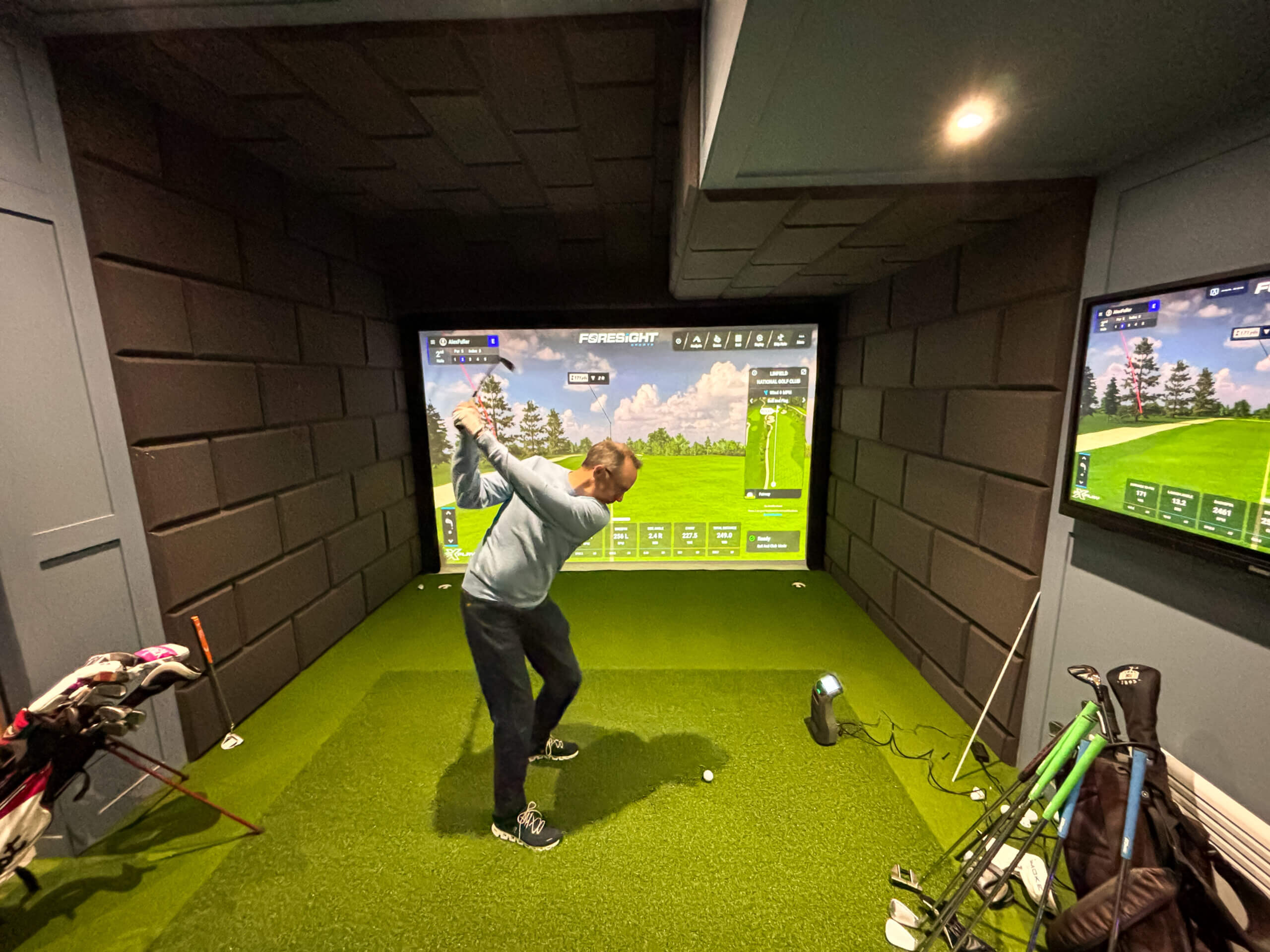
Golf swings and ball impact can be loud indoors. Soundproofing reduces noise that disturbs others. Foam panels or acoustic curtains work well on walls and ceilings. Noise control helps maintain peace inside your home. It also protects your ears during long practice sessions. Consider adding soft materials around your practice area.
Budgeting Your Space
Planning space for an indoor golf launch monitor means balancing size and budget. Your available room affects what kind of monitor fits best. Small spaces need compact models, while larger rooms allow more features. Understanding how much space you have helps you pick the right setup without wasting money or space.
Budgeting your space means knowing which trade-offs work for you. Some options save space but cost more. Others take up more room but are cheaper. Being clear about your priorities helps you make smart choices for your golf practice area.
Cost Vs. Space Trade-offs
Smaller launch monitors often cost more due to advanced technology. They fit in tighter spaces but may limit some features. Larger monitors usually cost less and offer more options. They need more room and a bigger budget for setup. Decide what matters most: saving space or saving money.
Upgrading And Expanding Options
Start with a basic setup if space or budget is tight. Choose models that allow easy upgrades later. Adding features or improving sensors can happen as your space grows. Plan your area to allow future expansion without major changes.
Diy Vs. Professional Setup
Setting up your launch monitor yourself saves money. It works well for simple, small spaces. Professional setup costs more but ensures perfect installation. Experts optimize space and equipment performance. Choose based on your confidence and room complexity.
Frequently Asked Questions
How Much Room Height Is Needed For A Launch Monitor?
You need at least 8 to 9 feet of ceiling height for proper swing clearance. This height allows for a full golf swing without obstruction. Some monitors require more space, so check your device’s specifications before setup.
What Is The Ideal Floor Space For Indoor Golf Setup?
A minimum area of 10 by 12 feet is recommended for most launch monitors. This space ensures enough room for the monitor, hitting mat, and safe swinging. Larger spaces improve comfort and realism.
Can I Use A Launch Monitor In A Small Room?
Yes, but space constraints may limit swing freedom and data accuracy. Compact monitors work better in smaller rooms. Ensure you have at least 8 feet in height and 10 feet in length for better results.
Do I Need Extra Space For Simulator Screens?
Yes, additional 3 to 5 feet behind the hitting area is needed for screens. This space prevents damage and improves immersive visuals. Plan your room layout accordingly to accommodate screens.
Conclusion
Choosing the right space for your indoor golf launch monitor matters a lot. A clear area helps you swing freely and get accurate data. Most setups need around 10 feet wide and 15 feet long. Ceiling height should be at least 8 feet for comfort.
Small rooms can work but may limit your shots. Plan carefully to enjoy your practice sessions fully. Remember, good space leads to better results and more fun. Take your time to measure and set up well. Your indoor golf experience depends on it.