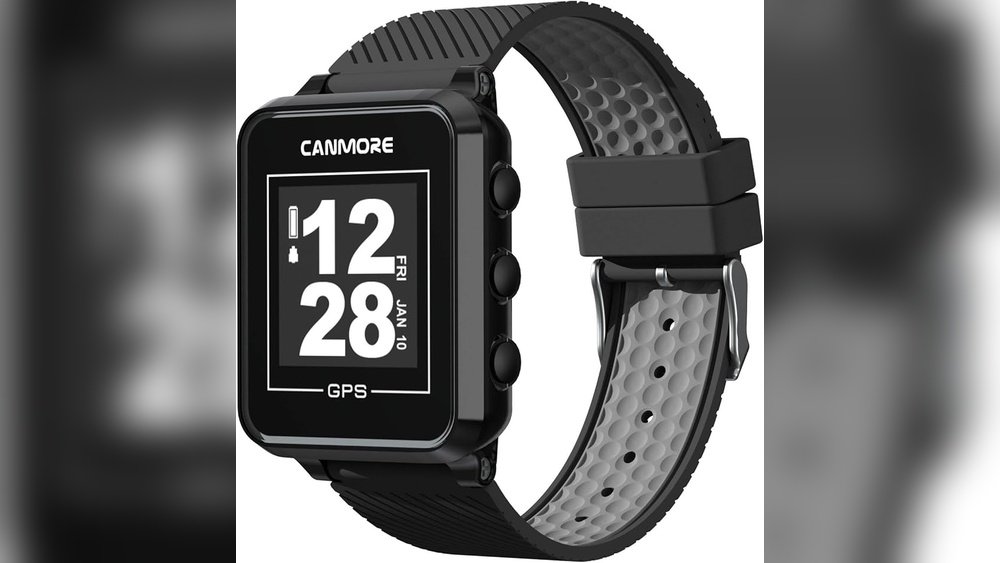
Are you wondering if you can update the courses on your GPS golf watch? Keeping your watch’s course data fresh can make a big difference in your game.
Imagine having the latest course layouts and hazards right on your wrist, helping you make smarter shots every time you play. You’ll discover how updating your golf watch works, why it matters, and the simple steps you can take to ensure your device always has the most accurate information.
Stay with us, and you’ll never miss a chance to improve your score with the help of your GPS golf watch.
How Gps Golf Watches Work
GPS golf watches help players by showing distances on the golf course. They use satellite signals to find your exact location. Then, they compare this location with the course map stored inside the watch. This process gives you real-time information about the hole, hazards, and targets.
The watch relies on updated course data and software to give accurate details. Understanding these parts helps explain how you can update courses on a GPS golf watch.
Basics Of Course Data
Course data includes maps of golf courses around the world. These maps show fairways, greens, bunkers, and water hazards. The data is stored inside the watch or its connected app. It allows the watch to display distances and layouts correctly.
Manufacturers collect course data from GPS surveys and official course plans. This data needs updates to stay accurate. Courses change over time, with new holes or altered layouts. Updating course data keeps your watch reliable on the course.
Role Of Firmware And Software
Firmware is the watch’s internal software that controls its functions. It helps the device read course data and GPS signals correctly. Software includes apps or programs on your phone or computer. They connect to the watch for updates and settings adjustments.
Manufacturers release firmware and software updates to fix bugs and add features. They also provide updated course data through these updates. You can connect your watch to Wi-Fi or a computer to download new data. Keeping firmware and software current ensures the watch works well and shows the latest course information.

When To Update Course Maps
Updating course maps on your GPS golf watch ensures accurate data during play. Course layouts change over time, and keeping maps current helps your watch reflect those changes. Knowing when to update course maps keeps your device reliable and useful on the course.
Signs You Need An Update
Your GPS watch shows wrong distances or missing holes. Course features like bunkers or hazards appear incorrect. The watch displays outdated hole numbers or no data for new courses. Notifications from the watch or app may suggest updates. Frequent errors during play often mean it’s time to update maps.
Benefits Of Keeping Maps Current
Updated maps improve distance accuracy for better shot decisions. You get the latest course changes, including new hazards and green shapes. Updates help you plan shots with confidence and avoid surprises. Keeping maps current enhances your overall playing experience. Your watch stays useful for all rounds, old and new courses alike.
Preparing For Course Updates
Preparing for course updates on your GPS golf watch is important to keep your device accurate. Updated courses give you the latest layouts and hazards. This helps improve your game and avoid surprises on the course.
Before updating, you need to check a few things. Knowing your watch’s compatibility and having the right tools ready makes the process smooth. This section covers what you need to prepare for course updates.
Checking Watch Compatibility
Not all GPS golf watches support course updates. First, check the brand and model of your watch. Visit the official website or user manual to see if updates are available. Some older models may no longer receive updates. Make sure your watch has enough memory space for new course files. Also, confirm your watch’s battery is charged before starting an update. Without these checks, the update might fail or cause issues.
Required Tools And Apps
You need certain tools to update your golf courses. Usually, a computer or smartphone is required. Most watches connect via USB or Bluetooth. Download the official app or software made by your watch brand. These apps help manage updates easily. Create an account if needed and link your watch. Follow app instructions for downloading and installing course updates. Having a stable internet connection is also important. This prevents interruptions during the update process.

Step-by-step Update Process
Updating courses on a GPS golf watch keeps your game accurate and current. The update process is simple and quick. Follow these steps to ensure your watch has the latest course data. This helps you play better and avoid outdated information.
Connecting To A Computer Or Smartphone
First, connect your golf watch to a computer or smartphone. Use the charging cable or Bluetooth, depending on your watch model. Make sure the device recognizes your watch before moving on. A stable connection is important for a smooth update.
Downloading The Latest Course Data
Next, open the watch’s app or software on your computer or phone. Look for the update section or course database. Download the newest course data available. This step refreshes your watch with the latest golf courses and layouts.
Installing The Update On The Watch
Finally, install the update on your watch. The app usually guides you through this process. Wait until the installation finishes completely. Do not disconnect the watch during this time. After installation, your watch will have updated course information ready to use.
Troubleshooting Common Issues
Troubleshooting common issues with GPS golf watches helps keep your device updated and accurate. Updates are necessary to add new courses and improve performance. Problems can stop updates from completing. Knowing how to fix these issues saves time and frustration.
Update Failures And Fixes
Update failures happen often due to software glitches or low battery. Restart your watch before trying again. Make sure your watch has at least 50% battery. Sometimes, uninstalling and reinstalling the update app helps. Clear cache or data in the app to fix errors. Check for enough storage space on your device. Free up space by deleting old files or apps.
Dealing With Connectivity Problems
Connectivity problems block course updates. Ensure your watch is close to your phone or Wi-Fi source. Turn Bluetooth off and on to refresh the connection. Restart your phone and watch for a fresh start. Confirm the update app has permission to use Bluetooth and Wi-Fi. Update your phone’s operating system and the app itself. Disable any VPN or firewall that may block connections. Try connecting to a different Wi-Fi network if possible.

Tips For Smooth Updates
Updating courses on a GPS golf watch keeps your device accurate and useful. Smooth updates make sure you get the latest course changes without hassle. Follow simple tips to update your watch easily and avoid problems.
Maintaining Battery Life
Keep your watch charged before updating. Low battery can stop the update. Charge your watch fully to avoid interruptions. Turn off unused features to save power. This helps the update finish quickly and smoothly.
Regular Update Schedule
Set a routine to check for updates often. New course data comes out regularly. Updating at the same time each week or month keeps your watch current. Regular updates prevent large downloads and reduce errors. Stay on top of updates for the best golf experience.
Frequently Asked Questions
Can I Update Golf Courses On My Gps Golf Watch?
Yes, most GPS golf watches allow course updates via their official app or website. This ensures accurate and current course data for better gameplay.
How Often Should I Update Courses On My Golf Watch?
It is best to update your golf watch courses whenever new updates are available. Regular updates improve accuracy and reflect course changes or renovations.
Do Gps Golf Watches Update Courses Automatically?
Some GPS golf watches support automatic updates when connected to Wi-Fi or Bluetooth. Others require manual updates through a computer or smartphone app.
Is Updating Golf Courses Free On Gps Watches?
Typically, course updates on GPS golf watches are free. However, some brands may charge for premium courses or advanced features.
Conclusion
Updating courses on a GPS golf watch keeps your game fresh and accurate. Most watches let you add new courses or update old ones easily. Regular updates help you get the best info on distances and hazards. This makes your rounds smoother and more enjoyable.
Always check your watch’s app or website for the latest updates. Staying current means better scores and less guesswork on the course. Simple steps can improve your golf experience every time you play.


