Have you ever noticed your GPS golf watch losing power right when you need it most? Running out of battery mid-game can be frustrating.
You might be wondering if you can simply replace the battery yourself instead of buying a new watch. The good news is, understanding how to handle your GPS golf watch battery can save you time and money. You’ll discover whether replacing the battery is possible, what you need to know before trying, and the best steps to keep your watch running smoothly.
Keep reading to make sure your golf game never misses a beat.

Battery Types In Gps Golf Watches
GPS golf watches rely on batteries to power their features. The battery type affects the watch’s life and ease of replacement. Knowing the kind of battery helps you maintain your device better.
Some watches use built-in batteries, while others have replaceable ones. Each type has benefits and limits. Understanding these can save you time and money.
Common Battery Models
Most GPS golf watches use lithium-ion batteries. These batteries hold a charge well and last long. Some older models use nickel-metal hydride batteries. They do not last as long as lithium-ion.
Standard watch batteries like CR2032 are rare in GPS watches. They usually power simpler devices. Lithium-ion batteries recharge and provide steady power over time.
Built-in Vs Replaceable Batteries
Built-in batteries are sealed inside the watch. This design makes the watch slim and waterproof. But you cannot easily swap the battery yourself. Battery replacement often needs a professional.
Replaceable batteries allow users to change them easily. This option extends the watch’s usable life. You can carry spare batteries for long golf days. These watches might be slightly thicker or heavier.
Signs You Need A Battery Replacement
Knowing when to replace the battery in your GPS golf watch can save you from unexpected problems on the course. Batteries wear out over time. Your watch may show clear signs that it needs a new battery soon.
Watch for changes in how your device works. These signs help you decide the right time for a battery replacement.
Decreased Battery Life
Your watch does not hold charge as long as before. It needs charging more often during your game. This drop in battery life means the battery is losing its power. A fresh battery will help the watch last longer on the course.
Device Not Powering On
The watch refuses to turn on, even after charging. This issue often means the battery is dead or damaged. It might be time to replace the battery to get your watch working again. Ignoring this sign can leave you without GPS support during play.
Tools Needed For Replacement
Replacing the battery in a GPS golf watch requires specific tools. Using the right tools ensures a smooth and safe replacement process. Avoid damage to the watch by preparing properly. Gather all necessary items before starting the task.
Essential Tools
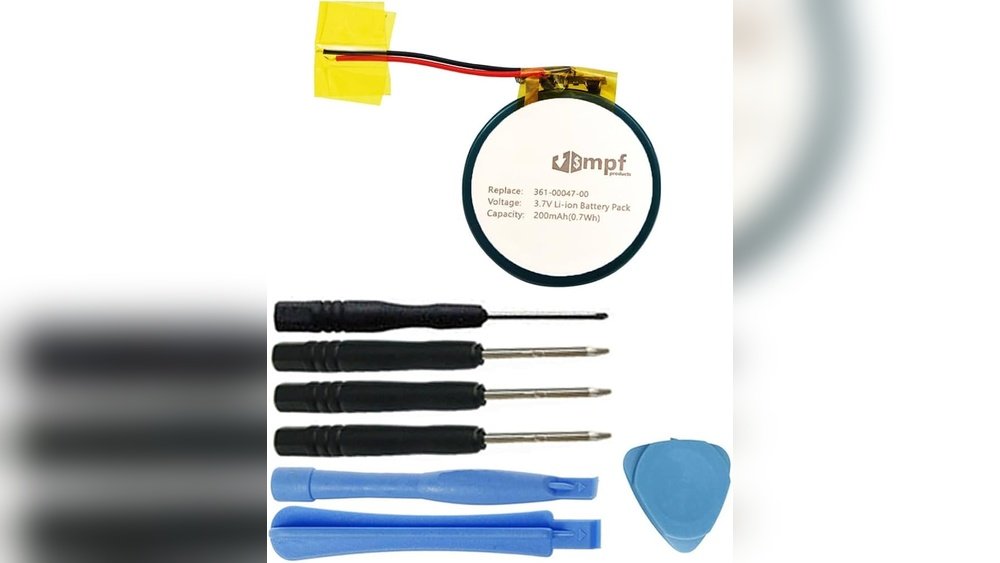
A small screwdriver set is crucial. Precision screwdrivers, like Phillips and flathead, work best. A plastic pry tool helps open the watch case without scratching. Tweezers assist in handling tiny parts. A new battery compatible with your watch model is needed. Use a clean, flat surface to work on. A magnifying glass can improve visibility.
Safety Precautions
Wear anti-static gloves or use an anti-static wristband. This prevents static electricity from damaging the watch’s electronics. Turn off the watch before opening it. Keep screws and small parts in a container to avoid loss. Work in a well-lit area to see details clearly. Avoid touching the battery terminals with bare hands. Dispose of the old battery safely according to local rules.

Step-by-step Battery Replacement
Replacing the battery in a GPS golf watch can extend its life and save you money. The process is straightforward but requires care and the right tools. Follow these steps to replace your watch battery safely and effectively.
Opening The Watch Case
Start by turning the watch over. Look for small screws or a snap-back cover. Use a small screwdriver or a case opener tool. Gently loosen the screws or pry the cover off. Avoid using too much force to prevent damage.
Removing The Old Battery
Inside, you will see the battery held by a clip or small screws. Note the battery’s position and type. Carefully lift the clip or unscrew the holder. Remove the old battery slowly. Dispose of it properly following local rules.
Installing The New Battery
Insert the new battery in the same position as the old one. Make sure the positive and negative sides match. Secure the battery by replacing the clip or screws. Check that it fits snugly and does not move.
Reassembling The Watch
Place the back cover on the watch. Align it correctly with the edges. Screw the screws back or press the cover until it snaps in place. Test the watch to see if it powers on. Your GPS golf watch is ready to use again.
When To Seek Professional Help
Replacing the battery in a GPS golf watch may seem simple. Yet, some situations need expert help. Knowing when to get professional support can save your watch from damage.
Complex Models
Some GPS golf watches have complex designs. These models have small parts and sealed batteries. Opening them without the right tools can cause harm. Experts know how to handle these watches safely. They can replace batteries without breaking anything.
Warranty Considerations
Many GPS golf watches come with a warranty. Trying to change the battery yourself may void it. Professionals follow the rules to keep the warranty valid. They use approved parts and methods. Getting help protects your watch and your purchase.
Tips To Extend Battery Life
Extending the battery life of your GPS golf watch helps you avoid interruptions during play. Simple changes in how you charge and use your watch can make a big difference. These tips help keep your device ready for every round.
Charging Habits
Charge your watch before it drops below 20%. Avoid letting the battery fully drain. Short, regular charges keep the battery healthy. Use the original charger to prevent damage. Remove the watch from the charger once it reaches 100%. Overcharging can reduce battery life.
Power-saving Features
Turn on power-saving modes during long rounds. Lower the screen brightness to save energy. Turn off Bluetooth and Wi-Fi when not needed. Disable unnecessary notifications to reduce power use. Use airplane mode if you don’t need connectivity. These small steps help extend battery life significantly.

Frequently Asked Questions
Can You Replace The Battery In A Gps Golf Watch?
Yes, many GPS golf watch batteries are replaceable. However, some models require professional service to avoid damage. Always check the manufacturer’s guidelines before attempting a replacement to ensure compatibility and safety.
How Long Does A Gps Golf Watch Battery Last?
Typically, a GPS golf watch battery lasts 8 to 15 hours during active GPS use. Standby times can extend to several days. Battery life varies by model, usage, and settings.
Is It Better To Replace Or Buy A New Golf Watch?
Replacing the battery is cost-effective if the watch is in good condition. However, buying new may be better if the watch is outdated or damaged. Consider warranty and repair costs before deciding.
Can I Replace The Battery Myself In A Golf Watch?
Some watches allow DIY battery replacement with proper tools and instructions. Others have sealed designs, requiring professional help. Refer to your watch manual or contact support for guidance.
Conclusion
Replacing the battery in a GPS golf watch can save you money. Many models allow easy battery swaps with simple tools. Some watches may need professional help to avoid damage. Always check your watch manual for instructions. Proper care helps your device last longer on the course.
A fresh battery keeps your watch accurate and reliable. Don’t ignore battery life; it affects performance and usability. Taking time to replace the battery can extend your watch’s life. Small steps make a big difference in your golf experience.


