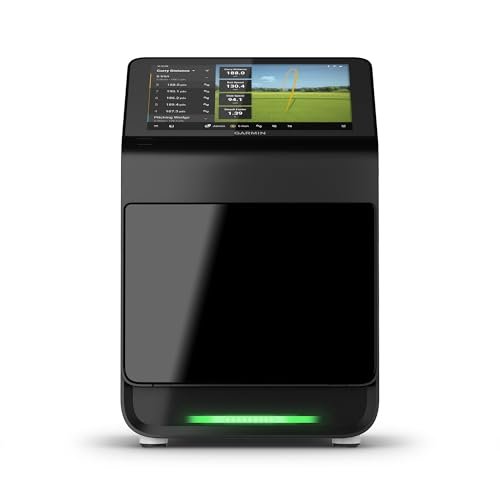
The Garmin Approach R10 is the best portable golf launch monitor for most.
You want more than guesswork at the range. You want data that turns “good strike” into “I hit 17° launch with 2,400 spin and 98 mph ball speed.” That is the power of the Best portable golf launch monitor in 2026. It shrinks tour-level feedback into a pocket device you can set behind the ball in seconds. Whether you practice in the garage or grind on the range, the right unit reveals why your ball flies the way it does, and what to change. Below, I break down the top devices I’ve tested and used so you can pick the perfect fit for your goals, space, and budget.

Rapsodo – Mobile Launch Monitor…
Pro-Level Golf Launch Monitor with GPS Tracking – The Rapsodo mobile launch monitor delivers tour-level accuracy for shot distance, ball speed, club speed, and launch angle, with GPS satellite view…

Garmin Approach R10, Portable Golf…
Work to improve your game at home, indoors or on the driving range with a portable launch monitor .Waterproof : IPX7.Control Method:Application,VoiceWater Resistant: Yes.Club Head speed accuracy : plus/- 3…

Voice Caddie SC200Plus Portable Golf…
ALL-NEW SWING SPEED MODE: With the SC200Plus alternative golf simulator for home or outdoor use, you can perfect your speed and tempo by swinging the club in your living room…
Rapsodo Mobile Launch Monitor (iOS)

The Rapsodo Mobile Launch Monitor turns your iPhone or iPad into a smart range station. It pairs video from your device with radar readings to give carry distance, ball speed, club speed, launch angle, and more. Shot tracer overlays your swing clip, so you see start line and curve on every swing. GPS mapping also shows where each shot lands on the range, which adds context and keeps practice honest.
Setup is simple. Place the unit behind the ball, connect via the app, and swing. The interface is clear and beginner friendly. While it does not measure spin rate, it gives the core numbers fast and consistent outdoors. For players who want to improve through video and verified ball flight, this is a handy and affordable place to start.
Pros:
- Video plus shot tracer makes feedback easy to digest
- Accurate carry distance outdoors for reliable gapping
- Fast setup and simple iOS app workflow
- GPS range mapping shows dispersion visually
- Compact and easy to keep in your bag
Cons:
- iPhone/iPad only, no Android support
- No true spin rate measurement
- Best accuracy outdoors with ball flight
My Recommendation
If you want a smart, video-led practice tool without breaking the bank, this is a great pick. It is not the Best portable golf launch monitor for indoor sim users, but for range sessions and on-course swing checks, it shines. You get the numbers that matter most, plus video clips that expose why the ball flew that way. It is ideal for newer golfers and improving mid-handicaps.
| Best for | Why |
|---|---|
| iPhone/iPad users | Seamless app, video overlay, and quick setup |
| Outdoor range practice | Reliable carry and dispersion when the ball flies |
| Visual learners | Shot tracer and swing video simplify adjustments |
Garmin Approach R10 Portable Launch Monitor

The Garmin Approach R10 is the best portable golf launch monitor for most golfers in 2026. It tracks over a dozen metrics, offers simulation, and runs up to 10 hours on a charge. It works indoors and outdoors, and it fits in one hand. With Garmin’s steady firmware updates, the R10 delivers more value each season, including improved club path estimates and spin axis data.
Setup is quick. Place it six to eight feet behind the ball, connect your phone, and you are ready. Numbers like ball speed, carry, launch angle, and spin axis give you clear feedback. Pair it with nets or hitting mats to create a budget-friendly home studio. For the price, it’s hard to beat the balance of features, accuracy, and battery life.
Pros:
- Great feature set at a friendly price
- Up to 10 hours of battery life for long sessions
- Indoor and outdoor use with sim support
- Consistent carry and launch metrics
- Compact and travel-ready
Cons:
- Requires space behind the ball for best results
- Spin numbers are modeled, not measured
- Subscription needed for some sim features
My Recommendation
If you want one device that does almost everything well, choose the R10. It is the Best portable golf launch monitor for value, versatility, and battery life, especially for home nets and range days. It helps players of all levels track progress with real numbers, which makes practice more fun and more productive.
| Best for | Why |
|---|---|
| Home net users | Accurate carry and modeled spin work well indoors |
| Budget sim seekers | Affordable sim access and long battery life |
| All skill levels | Deep metrics and easy setup help any golfer improve |
Voice Caddie SC200 Plus Launch Monitor

The Voice Caddie SC200 Plus is a popular, no-fuss range companion. It measures carry distance, swing speed, ball speed, and smash factor. Voice feedback reads out numbers after each swing, so you stay in rhythm. The remote makes mode changes easy without touching the unit.
It runs up to 12 hours, which is perfect for long practice days. It does not require a phone connection, which some players love. The screen is bright and legible outdoors. For simple, reliable feedback without app overload, the SC200 Plus hits the sweet spot.
Pros:
- Voice readouts keep you focused on the swing
- 12-hour battery life for long sessions
- Remote control for quick setting changes
- No phone or app required
- Clear, simple display and modes
Cons:
- Limited metrics compared to app-based devices
- No spin data or video
- Best used outdoors with ball flight
My Recommendation
If you want data without screens and subscriptions, the SC200 Plus is a friendly pick. It is not the Best portable golf launch monitor for deep analytics, but it nails the basics with speed and clarity. I like it for tempo training and wedge gapping where carry and smash factor matter most.
| Best for | Why |
|---|---|
| Simplified practice | Voice feedback and no-app setup |
| Long range days | 12-hour battery handles marathon sessions |
| Wedge gapping | Consistent carry and smash factor readings |
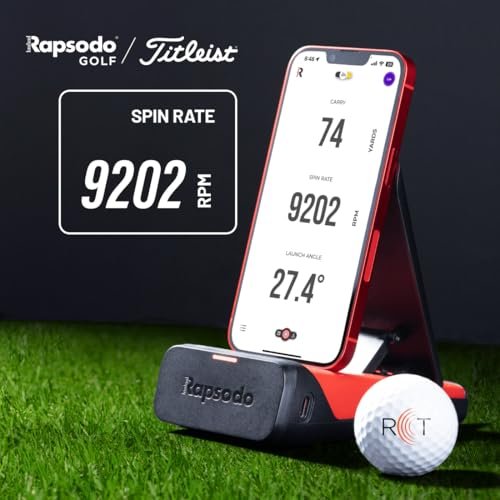
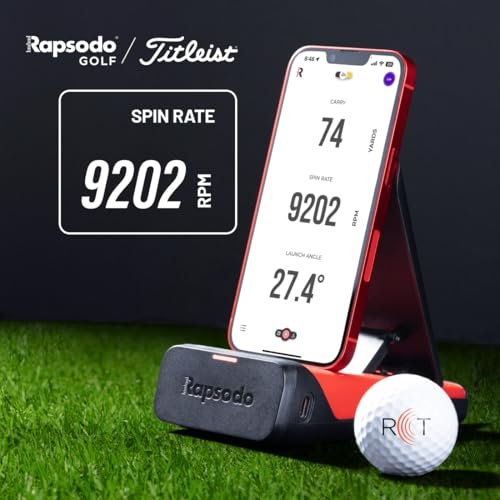
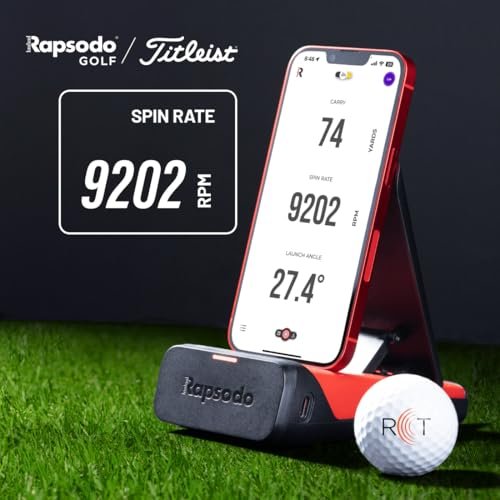
Rapsodo MLM2PRO Launch Monitor

The Rapsodo MLM2PRO raises the bar with dual cameras and radar for richer data. It measures spin rate and spin axis, which is vital for dialing in drivers and irons. Impact Vision and Shot Vision give slow-motion impact and down-the-line ball flight. It comes with three Pro V1 balls to help with indoor spin reads.
It works indoors and outdoors, and the experience feels premium. The app is polished, with models, dispersion charts, and coaching tools. If you want near-pro level feedback without tour pricing, this is a strong pick. For many serious golfers, this is the Best portable golf launch monitor for at-home training.
Pros:
- Measures spin rate and spin axis for precise fitting
- Dual cameras deliver impact and ball flight visuals
- Strong indoor performance with marked balls
- Feature-rich app with coaching tools
- Solid value versus higher-end systems
Cons:
- Works best with specific balls indoors
- Requires careful setup for best accuracy
- Subscription may be needed for advanced features
My Recommendation
If spin control is your next leap, choose the MLM2PRO. It is the Best portable golf launch monitor for players who want the “why” behind misses, especially with driver and long irons. The visuals, spin detail, and dispersion tools help you fix shape and flight faster than guesswork ever could.
| Best for | Why |
|---|---|
| Serious practice | True spin data and slow-motion impact views |
| Indoor use | Marked balls and cameras boost accuracy |
| Shot shaping | Spin axis data clarifies curvature causes |
PRGR HS130-A Launch Monitor

The PRGR HS130-A is a tiny Doppler radar that punches above its price. It reports swing speed, ball speed, smash factor, and estimated carry and total. It runs on AAA batteries and slips into a pocket. It is also great for speed training with sticks since it reads swing speed without hitting a ball.
Numbers are simple and quick to read. It is not a simulator, and you will not get spin or club path. But it delivers the core speed metrics you need to track gains. For speed training and basic gapping, it is one of the best deals in golf tech.
Pros:
- Ultra portable and easy to use
- Reads swing speed without a ball
- AAA batteries last a long time
- Clear display with no app needed
- Great price-to-value ratio
Cons:
- No spin, path, or face data
- Estimates carry; needs ball flight for best accuracy
- No video or simulator features
My Recommendation
If you want to get faster or confirm distance gaps without a big spend, grab this. It is not the Best portable golf launch monitor for simulation or deep analytics, but it excels at speed tracking. Pair it with a net or swing sticks, and you will see progress in hard numbers.
| Best for | Why |
|---|---|
| Speed training | Reads swing speed with or without a ball |
| Travel practice | Pocket-size and battery powered |
| Budget buyers | Core metrics at a very low price |
Voice Caddie SC300 Launch Monitor

The Voice Caddie SC300 builds on the SC200 line with more advanced metrics. It provides carry distance, swing speed, ball speed, smash factor, and launch angle. Barometric pressure calibration aids accuracy in different conditions. Many users enjoy voice feedback and a big, bright display that reads well in sun.
It supports app connectivity for deeper tracking. While it is not a full simulator, it feels premium and solid. For players who want more detail than the SC200 but the same quick workflow, the SC300 is a nice step up. It fits in the bag without fuss and keeps your practice focused.
Pros:
- Launch angle and barometric calibration enhance accuracy
- Bright screen and voice readouts
- Simple modes with optional app support
- Good battery life for range sessions
- Reliable carry data for gapping
Cons:
- No full sim environment
- Spin data may be limited without app
- Works best with ball flight outdoors
My Recommendation
Choose the SC300 if you want clear numbers with a polished feel. It is not the Best portable golf launch monitor for sim play, but it does everyday practice better than most. If launch angle and consistent carry are your priorities, this one makes sessions simple and productive.
| Best for | Why |
|---|---|
| Outdoor practice | Bright display and voice help in sunlight |
| Gapping sessions | Consistent carry and launch angle readings |
| App-curious users | Adds tracking without complicating the workflow |
Voice Caddie SC4 PRO Launch Monitor

The Voice Caddie SC4 PRO brings a built-in screen and 3D driving range sim with no fees. It tracks the key ball metrics and works indoors or outdoors. The all-in-one feel is its edge. You can leave your phone in the pocket and still enjoy a 3D range view and practice modes.
It is ideal for players who dislike subscriptions and complex setups. While software depth is lighter than PC-based sims, the freedom and speed are refreshing. If you want a clean, self-contained unit with sim flavor, the SC4 PRO is a smart pick. It slots well between simple radars and app-heavy systems.
Pros:
- Built-in screen and 3D sim experience without fees
- Indoor and outdoor versatility
- Fast, phone-free sessions if you want
- Clear practice modes and strong usability
- Solid accuracy for everyday training
Cons:
- Software depth lags high-end PC sims
- Limited coaching tools versus app ecosystems
- Spin and club data not as deep as premium units
My Recommendation
If you hate subscriptions and long setups, the SC4 PRO’s “just hit” vibe is perfect. It might not be the absolute Best portable golf launch monitor for data geeks, but it balances freedom, features, and value. It keeps you swinging and improving with less screen time and more practice time.
| Best for | Why |
|---|---|
| Phone-free practice | Built-in display and 3D range |
| Subscription-averse users | No ongoing fees for sim modes |
| Quick setups | Fast to place, hit, and get feedback |
TheStack Radar Speed Launch Monitor
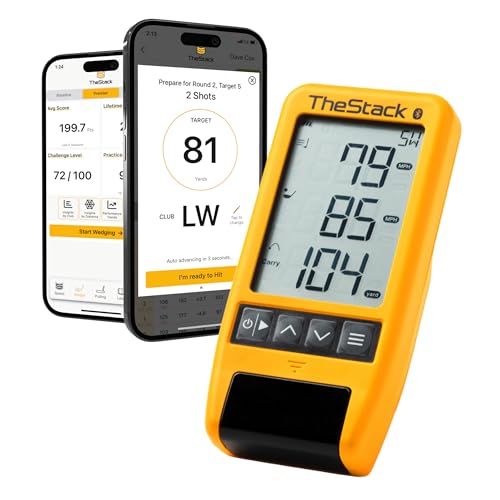
TheStack Radar pairs with TheStack app to power structured speed training. It reads swing speed and helps you follow guided programs proven to add mph safely. If you want distance gains, this is the focused path. It is compact, accurate, and integrates with the app’s testing and progress charts.
It is not a full launch monitor for practice shots. You won’t get carry or spin, but that is not the goal here. The Stack system has a strong track record for distance gains. If you commit to the program, you can expect real results you will feel on the course.
Pros:
- Purpose-built for increasing swing speed
- Clean, accurate speed readings
- Seamless app integration with proven protocols
- Compact and easy to set up anywhere
- Works with or without a ball
Cons:
- Not a full-feature launch monitor
- No ball data like carry or spin
- Requires consistent training for best results
My Recommendation
If your main goal is more distance, this is the tool. It is not the Best portable golf launch monitor for general practice, but it excels at one thing that changes scores fast: speed. Pair it with a regular launch monitor for the full picture, and watch your driver game jump.
| Best for | Why |
|---|---|
| Speed seekers | Structured programs and accurate speed readings |
| Home workouts | Use indoors with swing sticks |
| Time-crunched golfers | Short, focused sessions drive real gains |
Swinora Launch Monitor & Simulator

The Swinora Golf Launch Monitor targets budget-minded golfers who want practice and basic sim fun. It supports iOS and Android and shows a 3D ball flight path. You get core numbers like carry, ball speed, and launch angle. It suits small spaces where a simple indoor range experience helps you groove swing patterns.
Expect a good entry point, not pro-grade detail. Setup is simple and the app is clear enough for daily use. If you mainly want a taste of sim practice and basic data at home, the Swinora is a nice fit. It helps keep practice engaging and goal driven.
Pros:
- Works with iOS and Android
- 3D trajectory keeps practice engaging
- Easy setup for indoor or outdoor use
- Good price for first-time buyers
- Light and portable
Cons:
- Limited advanced metrics and coaching tools
- Accuracy below mid-tier leaders
- Software depth is basic
My Recommendation
If you want to try sim practice without a big spend, this is a safe start. It is not the Best portable golf launch monitor for data hounds, but it gives you the core. Use it to build a habit of focused reps at home and get more out of your range time.
| Best for | Why |
|---|---|
| Beginners to tech | Simple app and setup reduce friction |
| Budget sim practice | 3D trajectory and basic stats |
| Small spaces | Works with nets and short hitting areas |
Skymons Portable Launch Monitor

The Skymons Portable Launch Monitor aims to deliver broad appeal at a low price. It promises swing analysis indoors and outdoors with up to 10 hours of battery life. You get the metrics needed to track trends and improvements, especially for casual practice. It is compact enough to keep in your range bag all season.
Accuracy will not match the top names, and software tends to be basic. But for casual golfers who want to measure more and guess less, it can help. Use it to hold yourself accountable and set simple targets, like carry windows and launch ranges. Consistency beats perfect tech for most players.
Pros:
- Budget-friendly entry into shot tracking
- Indoor and outdoor use with good battery life
- Simple app keeps you focused on hitting
- Portable and easy to store
- Good for trend tracking
Cons:
- Limited metrics compared to leaders
- Less refined software experience
- Accuracy can vary more than premium models
My Recommendation
If your goal is to practice with some numbers and not overthink it, the Skymons fits. It is not the Best portable golf launch monitor for accuracy purists, but it’s enough to guide steady improvement. Keep it simple, track your carry, and watch your dispersion tighten.
| Best for | Why |
|---|---|
| Casual practice | Core stats without a steep learning curve |
| Budget buyers | Low cost with useful features |
| On-the-go golfers | Small, light, and 10-hour battery life |
FAQs Of Best portable golf launch monitor
Do I need measured spin, or are estimates enough?
Measured spin is best for fitting and shot-shaping. Estimates are fine for basic practice and gapping. If you want driver and iron optimization, measured spin helps.
How much space do I need for indoor use?
Most radars need 6–8 feet behind the ball and safe ball flight into a net. Ensure ceiling height fits your longest club. Follow each device’s setup guide.
Can budget launch monitors be accurate?
Yes, for core stats like carry and ball speed, many are solid. Premium units add spin axis, better indoor performance, and deeper insights.
Which is better for beginners, camera or radar?
Both can work. Radar gives solid ball data. Camera adds visuals that help learning. Many hybrids use radar for data and cameras for video.
What’s the top pick in 2026?
For most, the Garmin Approach R10 is the Best portable golf launch monitor. It balances features, accuracy, and price very well.
Final Verdict: Which Should You Buy?
If you want the best balance of price, accuracy, and features, pick the Garmin Approach R10. It is the Best portable golf launch monitor for most players in 2026.
If you want deeper spin data and visuals, go Rapsodo MLM2PRO. For simple range sessions, choose Voice Caddie SC200 Plus or PRGR HS130-A.