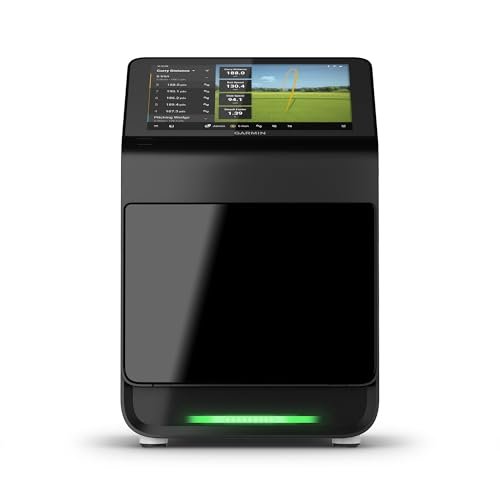
Garmin Approach R10 is the best indoor launch monitor for most golfers.
You want real swing feedback without leaving home. You want to hit into a net, see ball flight on screen, and work on numbers that actually lower scores. The right device turns spare room swings into real gains. It tracks distance, spin, launch, and path so you know what to fix. I’ve tested, compared, and coached with these tools. In this guide, I’ll help you pick the Best golf launch monitor for indoor practice based on budget, space, and data needs.
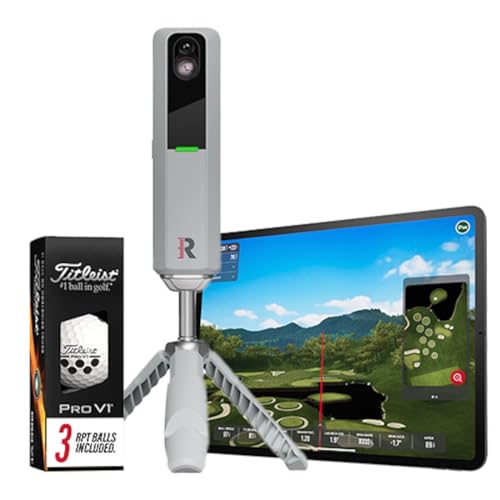
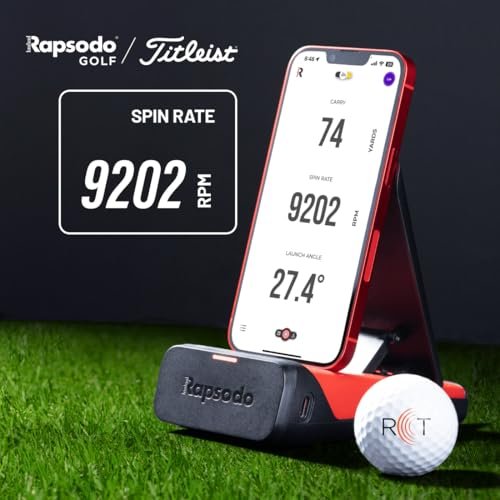
Rapsodo MLM2PRO Golf Launch Monitor,…
Advanced Golf Launch Monitor – The Rapsodo MLM2PRO golf launch monitor delivers pro-level accuracy, measuring 13 core golf metrics, including spin rate, spin axis, and swing speed, making it a…

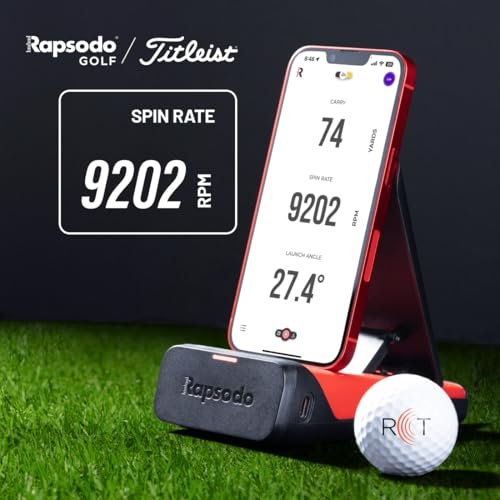
Rapsodo – Mobile Launch Monitor…
Pro-Level Golf Launch Monitor with GPS Tracking – The Rapsodo mobile launch monitor delivers tour-level accuracy for shot distance, ball speed, club speed, and launch angle, with GPS satellite view…

Garmin Approach R10, Portable Golf…
Work to improve your game at home, indoors or on the driving range with a portable launch monitor .Waterproof : IPX7.Control Method:Application,VoiceWater Resistant: Yes.Club Head speed accuracy : plus/- 3…
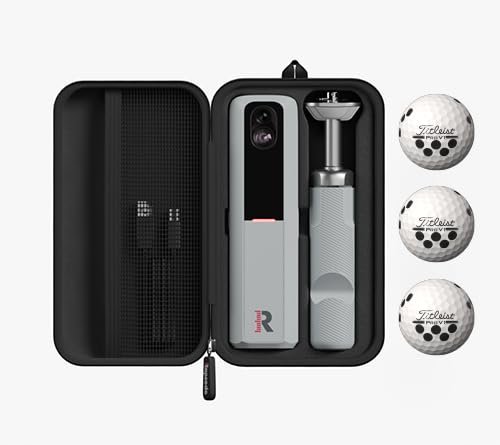
Rapsodo MLM2PRO Launch Monitor (3 Pro V1 Balls)

The Rapsodo MLM2PRO blends radar with dual cameras to track your swing and the ball in tight spaces. Indoors, it shines because you can capture impact footage and down-the-line video with auto-clipping. It reads spin rate and spin axis when you use the included Titleist RCT-style balls, so wedges and short irons get real feedback. Setup is quick, and the companion app shows clean data and shot shape.
If you want sim play, MLM2PRO connects with popular software and Rapsodo Range, so you can practice or play courses on a screen. The phone stand and tripod are stable and compact, ideal for apartments or garages. I like how easy it is to line up the target and confirm calibration. Battery life is solid for home sessions, and firmware updates have been steady and useful.
Pros:
- Measures spin rate and spin axis with marked balls for true wedge work
- Impact and shot vision video with auto-edited clips for fast review
- Reliable indoors with short ball flight and simple alignment
- Simulation options for practice ranges and virtual courses
- Clean app, coaching tools, and trend tracking over time
Cons:
- Best spin accuracy needs special marked balls
- Subscription adds features some golfers will want
- Phone or tablet is part of the setup, so keep it charged
My Recommendation
If you want the Best golf launch monitor for indoor practice with real spin data, start here. The MLM2PRO hits the sweet spot for home nets, coaching feedback, and casual sim play. It rewards repeat use with video and numbers that show trends. If you drill wedges and mid-irons inside, you’ll see fast gains.
| Best for | Why |
|---|---|
| Indoor nets with short flight | Radar + cameras boost accuracy in tight spaces |
| Wedge spin practice | Marked balls unlock spin rate and axis data |
| Video-driven fixes | Impact and shot vision clips speed up learning |
Rapsodo Mobile Launch Monitor (iPhone/iPad)

The original Rapsodo MLM uses your iPhone or iPad camera, paired with a radar module, to track shots. It reports ball speed, club speed, carry distance, launch angle, and smash factor. The app overlays shot tracer on your swing video and pins shots on a GPS range map. For indoor use, it works best in a net with several feet of ball flight and strong lighting.
The strengths here are simplicity and value for Apple users. Setup takes minutes. The shot library and dispersion charts help you dial your bag. If you battle distance gapping or want fast feedback during speed training, it does the job. Just note that it is iOS-only and shines more in larger net spaces than tiny rooms.
Pros:
- Great price-to-performance for Apple users
- Shot tracer and video review in one app
- Clean gapping charts and GPS dispersion
- Fast setup and light gear footprint
- Useful for speed training and carry checks
Cons:
- iPhone/iPad only; no native Android support
- Indoor accuracy improves with more ball flight
- No true spin axis data
My Recommendation
For Apple users who want the Best golf launch monitor for indoor practice on a tight budget, this is a smart pick. You get core numbers, handy video, and a tidy app workflow. It works best in a garage or basement net with some room. If you later want deeper data, you can level up to MLM2PRO.
| Best for | Why |
|---|---|
| iPhone/iPad golfers | Built to pair with iOS and easy to run |
| Gapping and speed work | Key metrics and shot library show progress |
| Simple home nets | Fast setup and light footprint |
Garmin Approach R10 Launch Monitor

The Garmin Approach R10 packs a serious punch for the price. It measures more than a dozen metrics, including ball speed, club speed, launch angle, direction, and estimated club path and face data. Indoors, it needs a few feet behind the ball and some ball flight, but it stays stable and consistent when set right. The app gives session summaries, dispersion groups, and trends.
You can pair it with simulation software to play courses or ranges, which is great for winter work. The battery runs up to 10 hours, so long sessions are easy. I like its mix of data depth and ease of use. If you want one device that grows with your practice, the R10 is a standout.
Pros:
- Rich metrics, including club path estimates
- Strong simulation support for home play
- Long battery life for all-day sessions
- Compact tripod and quick alignment
- Great value for the feature set
Cons:
- Needs clear space behind and in front of the ball
- Path and face are modeled, not measured
- Indoor lighting and backdrop can affect reads
My Recommendation
This is my top pick for the Best golf launch monitor for indoor practice if you want depth and growth. The data helps fix blocks and slices fast. Sim options keep practice fun. If you have room for a net and mat, the R10 can carry you from beginner to low-handicap goals.
| Best for | Why |
|---|---|
| All-around indoor practice | Data depth plus stable indoor reads |
| Budget-friendly sim play | Works with popular software |
| Skill growth over time | Trends, dispersion, and rich metrics |
Rapsodo MLM2PRO (12 Pro V1 Balls)

This bundle gives you the same MLM2PRO hardware with more RPT-style balls for spin reads. If you intend to grind wedges and short irons inside, the extra dozen is handy. You get impact and shot vision video, clean app charts, and repeatable indoor alignment. For net sessions, this setup cuts guesswork and speeds up gapping.
Simulation ties in easily for range or course play. The device is compact and stores well between sessions. I like how the video clips show face angle and low-point issues at a glance. For serious practice, the extra balls are not just a perk; they unlock more trust in the numbers.
Pros:
- Extra marked balls for consistent spin tracking
- Dual-camera video adds clarity to data
- Strong indoor read stability
- Simulation options for fun and focused practice
- Portable, quick setup, and frequent updates
Cons:
- Spin reads rely on specific balls
- Some features sit behind a subscription
- Works best with good lighting and a flat backdrop
My Recommendation
If you want the Best golf launch monitor for indoor practice and plan to do a lot of wedge work, pick this bundle. The extra balls keep your spin sessions going without pause. Data and video will guide fast fixes. It is ideal for players who want to see cause and effect on every shot.
| Best for | Why |
|---|---|
| High-volume wedge practice | Extra balls maintain spin accuracy |
| Video-first learners | Impact and path cues show up fast |
| Home sim starters | Easy links to range and course apps |
Voice Caddie SC200 Plus Launch Monitor

The SC200 Plus is a simple, rugged unit that gives you the basics: carry distance, swing speed, ball speed, and smash factor. It has a clear screen, voice readouts, and long battery life. Indoors, it runs well behind your hitting zone and does not need a phone. For quick sessions, that ease is gold.
I like it for speed training and for players who want numbers without screens and apps. It has practice modes that keep things fun and focused. Accuracy is solid for the price, especially with mid to long clubs. If you want entry-level indoor feedback, this is a steady choice.
Pros:
- Fast, no-fuss setup and voice feedback
- Great battery life for long days
- Clear, readable display
- Good budget option for speed training
- Portable and durable
Cons:
- No spin or path data
- Fewer metrics than camera-based units
- Limited integration with sim software
My Recommendation
If you want the Best golf launch monitor for indoor practice on a tight budget, the SC200 Plus covers the essentials. It is perfect for speed work and carry checks. Use it for quick tune-ups when you do not want to set up apps. Simple is sometimes the fastest path to progress.
| Best for | Why |
|---|---|
| Budget indoor practice | Affordable, simple, and reliable |
| Speed training | Instant swing speed and smash factor |
| No-phone sessions | Onboard screen and voice readouts |
Uneekor Eye MINI CORE Launch Monitor

The Uneekor Eye MINI CORE brings tour-level vibes to a portable package. It uses high-speed cameras to measure up to 15 ball metrics with near-zero latency. Indoors, that means a crisp, real-time feel and strong accuracy even with shorter flight. It also plays well with top sim software like GSPro, E6, and TGC19, with a PC or laptop.
Setup is straightforward for a premium unit, and the build feels rock-solid. You can add club data with stickers and get deep insight into strike. For fixing toe hits, gear effect, or launch control, this system shines. If you want high-end reads in a small space, put this high on your list.
Pros:
- Near-zero latency feels instant and natural
- Photometric accuracy indoors with short flight
- Works with top simulation platforms
- Deep data set for serious practice
- Premium build and stable alignment
Cons:
- Requires a PC/laptop for full sim use
- Higher price than entry-level options
- Club data may need stickers or add-ons
My Recommendation
If you want the Best golf launch monitor for indoor practice with a premium feel, the Eye MINI CORE is a leader. It gives fast, rich data that helps you shape shots and control spin. Pair it with GSPro for a tour-like simulator setup. It is ideal for dedicated players building a real home studio.
| Best for | Why |
|---|---|
| Premium indoor accuracy | Photometric system excels in tight spaces |
| Advanced sim studios | Works with GSPro, E6, TGC19 |
| Technical refinement | Rich metrics expose impact patterns |
Voice Caddie SC4 PRO Launch Monitor

The SC4 PRO adds a built-in display and a 3D range simulator app with no ongoing fees. You get carry distance, ball speed, club speed, and key launch data in a compact, portable unit. Indoors, the screen is a big plus because you can glance at numbers between swings without a phone. For simple home nets, it feels clean and friction-free.
The 3D range mode gives you a visual target and shot shape, which helps aim and rhythm. Voice prompts keep your hands on the club. Accuracy is solid for the class, and alignment is quick. If you want to avoid subscriptions while adding a little sim feel, this is a strong fit.
Pros:
- Built-in screen and voice keep setup light
- 3D range simulator with no fees
- Indoor-friendly, portable, and quick to align
- Good accuracy for core metrics
- Great value for no-subscription users
Cons:
- Not as data-rich as camera-based systems
- Limited spin detail
- Advanced sim features may require other platforms
My Recommendation
Want the Best golf launch monitor for indoor practice without subscriptions? The SC4 PRO is made for you. It provides clean, actionable numbers and an easy 3D range. It is perfect for simple, daily reps in a spare room or garage.
| Best for | Why |
|---|---|
| No-fee indoor sessions | 3D range app has no ongoing cost |
| Quick, simple practice | Built-in screen and voice prompts |
| Portable home nets | Compact and easy to align |
Swinora Golf Launch Monitor & Simulator

The Swinora system is a portable option that pairs with iOS and Android for swing analysis and virtual play. It offers 3D shot trajectories and a simple sim experience for indoor nets. If you want an easy setup without buying extra software, this can be a friendly starting point. It tracks core shot data and gives you visual feedback on ball flight.
I like the cross-platform support and the focus on simple practice and casual play. Indoors, it benefits from stable lighting and a flat backdrop. The app-driven design helps you save sessions and compare swings over time. For a light, go-anywhere setup, it checks the right boxes.
Pros:
- Works with both iOS and Android
- 3D trajectory and virtual course modes
- Good entry point for indoor sim on a budget
- Portable and easy to set up
- Session tracking and simple insights
Cons:
- Fewer advanced metrics than premium units
- Accuracy depends on room setup and lighting
- Limited integration beyond its own app
My Recommendation
If you want the Best golf launch monitor for indoor practice with a low barrier to entry, the Swinora is worth a look. It makes practice fun and helps you see shot shape. Use it to build a habit and track gains. Later, you can upgrade if you crave deeper data.
| Best for | Why |
|---|---|
| Budget indoor sims | App-based virtual play included |
| Cross-platform users | Supports iOS and Android |
| Quick practice at home | Fast setup, simple feedback |
PRGR HS-130A Portable Launch Monitor

The PRGR HS-130A is a fan favorite for one reason: it is simple and it works. You get club speed, ball speed, smash factor, and distance estimates from a tiny radar unit. Indoors, it sits behind you and reads your swings without fuss. For speed training, it is a proven companion that tracks gains in real time.
I like it for players who want to avoid app setups and wires. It runs on standard batteries and has a clear screen. Accuracy is solid for speed numbers, which is what matters most for training sticks and driver work. If you want a low-cost lens on your progress, this is it.
Pros:
- Very budget-friendly and reliable
- Great for speed training with instant feedback
- No phone or app required
- Light, compact, and durable
- Good for quick indoor checks
Cons:
- Limited metrics; no spin or path data
- Distance estimates are basic
- No native simulation support
My Recommendation
If your goal is more speed, the PRGR is the Best golf launch monitor for indoor practice on a shoestring. It nails the key number for training: swing speed. Use it with training sticks or your driver to set PRs. Add a fuller-featured unit later if you want spin and launch data.
| Best for | Why |
|---|---|
| Speed training | Instant swing speed and smash factor |
| Budget buyers | Low cost with proven accuracy |
| Quick indoor checks | No setup or phone needed |
Voice Caddie SC300 Launch Monitor

The SC300 builds on the SC200 series with more metrics and app support. You get ball speed, club speed, smash factor, carry, and launch angle. Indoors, the voice readouts and bright screen make it easy to stay in rhythm. It holds a charge well and slides into any home net routine.
The companion app logs sessions and shows trends, which helps you track gapping and form. Accuracy holds up nicely with mid to long clubs. For players who want more data than the SC200 but still want simplicity, the SC300 fits well. It’s a practical step up without a steep learning curve.
Pros:
- Adds launch angle to core radar metrics
- Voice and display for hands-free practice
- App support for session tracking
- Good battery life and portability
- Easy to use in tight spaces
Cons:
- No true spin or path tracking
- App features are basic vs. premium systems
- Limited sim integration
My Recommendation
For many golfers, this is the Best golf launch monitor for indoor practice at a mid-range price. It gives the data that matters for launch and carry. The voice readouts help maintain tempo between swings. Choose it if you want more than the basics without going full premium.
| Best for | Why |
|---|---|
| Mid-range buyers | More metrics without complexity |
| Launch control work | Includes launch angle for dial-in |
| Hands-free practice | Voice readouts keep flow |
FAQs Of Best golf launch monitor for indoor practice
How much space do I need for an indoor launch monitor?
Most units need 6–8 feet behind the ball and 6–8 feet of ball flight. Check each device’s guide. Higher ceilings help with driver swings.
Do I need special balls to measure spin indoors?
Some devices, like the MLM2PRO, read spin best with marked balls. Others measure spin without special balls. Read the device specs before you buy.
Are phone-based launch monitors accurate indoors?
Yes, in the right setup. Give them enough flight, good lighting, and a flat backdrop. Camera plus radar systems boost consistency.
Can I use foam balls with a launch monitor?
Many monitors need real balls for accurate speed and spin. Foam balls work for tempo, but numbers will not match real shots.
Which metrics matter most indoors?
Start with ball speed, launch angle, and spin. Club path and face data help fix curve and contact fast.
Final Verdict: Which Should You Buy?
The Garmin R10 offers the best blend of data, sim play, and price. The Uneekor Eye MINI CORE is ideal if you want premium accuracy indoors.
For the Best golf launch monitor for indoor practice on a budget, consider PRGR or SC200 Plus. For spin and video, the MLM2PRO is a star.