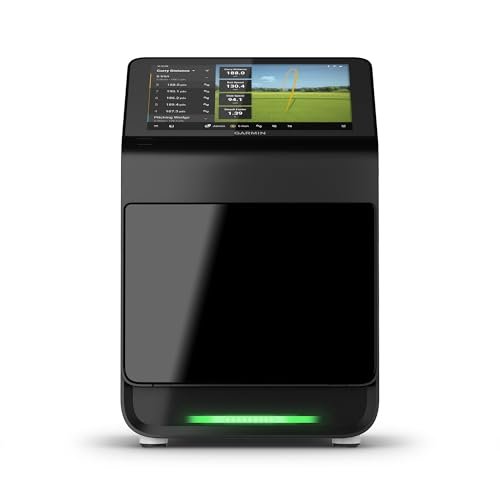
Garmin R10 is the best overall launch monitor for beginners today.
You want faster improvement without guessing at the range. A launch monitor shows what your eyes miss—carry, spin, club speed, and more—so every practice swing has purpose. The right model for a new golfer should be easy to set up, friendly to use, and accurate enough to guide real changes. In this guide, I break down the Best golf launch monitor for beginners with hands-on insight, simple language, and clear pros and cons. I’ll help you match features with your goals, so you buy once and practice smarter from day one.

Rapsodo – Mobile Launch Monitor…
Pro-Level Golf Launch Monitor with GPS Tracking – The Rapsodo mobile launch monitor delivers tour-level accuracy for shot distance, ball speed, club speed, and launch angle, with GPS satellite view…
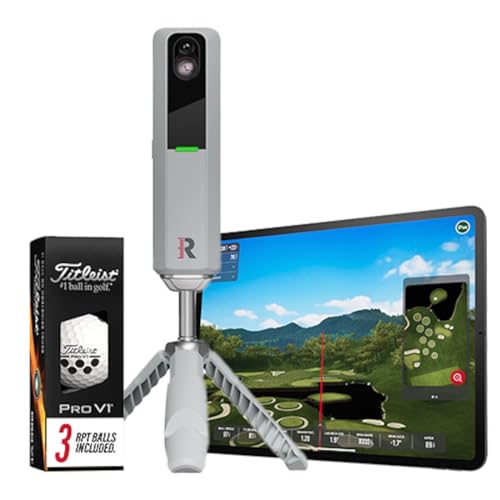
Rapsodo MLM2PRO Golf Launch Monitor,…
Advanced Golf Launch Monitor – The Rapsodo MLM2PRO golf launch monitor delivers pro-level accuracy, measuring 13 core golf metrics, including spin rate, spin axis, and swing speed, making it a…

Garmin Approach R10, Portable Golf…
Work to improve your game at home, indoors or on the driving range with a portable launch monitor .Waterproof : IPX7.Control Method:Application,VoiceWater Resistant: Yes.Club Head speed accuracy : plus/- 3…
Rapsodo Mobile Launch Monitor (iOS Only)

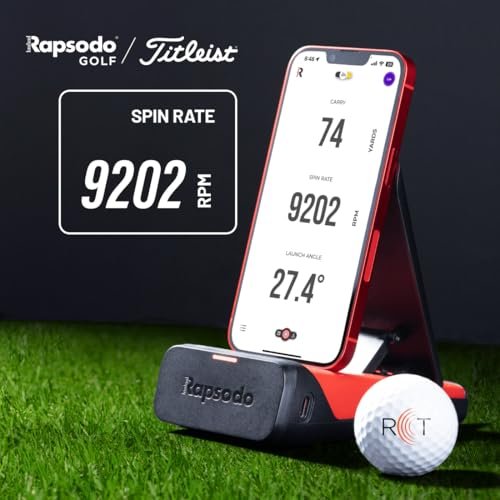
The Rapsodo Mobile Launch Monitor turns your iPhone or iPad into a powerful swing tool. It uses radar and your phone’s camera to track ball speed, club speed, launch angle, and carry distance. The app overlays shot tracers on a GPS map of the range, which makes your dispersion visible and easy to understand. Setup is quick, and the visual feedback keeps practice fun and focused.
I like how Rapsodo links your video with data for each swing. You can look at your move and numbers at the same time. That makes it easier to fix ball flight issues, like pushes or ballooning spin. For beginners who want a light, portable tool, Rapsodo nails the basics without a steep learning curve.
Pros:
- Fast setup with iPhone or iPad
- Video plus data on each swing
- GPS shot dispersion view for easy feedback
- Accurate carry distance for range practice
- Compact and travel friendly
Cons:
- iOS only (no Android)
- Requires good lighting to track well
- No full indoor simulator out of the box
My Recommendation
If you want the Best golf launch monitor for beginners with a simple app and clear visuals, start here. It’s best for learners who practice at outdoor ranges and like video feedback. The GPS dispersion is great for club gapping and shot shape work. It offers solid value and is often in stock, but check availability during peak season.
| Best for | Why |
|---|---|
| New iPhone golfers | Easy iOS setup and clean app workflow |
| Range-based practice | GPS dispersion view keeps sessions focused |
| Video learners | Sees swing and data on the same screen |
Rapsodo MLM2PRO Launch Monitor (Indoor/Outdoor)

The Rapsodo MLM2PRO adds advanced tracking with spin rate and spin axis, plus a dual-camera setup for impact and down-the-line views. For a new player, this unlocks a deeper look at ball flight and gear effect. Spin control is huge for dialing carry and stopping power. With indoor and outdoor use, you get flexible training across seasons.
The included marked balls help the device see spin more clearly. The app also provides session summaries that show trends, not just single shots. As a beginner, you can track progress by week, which keeps you motivated. For the price, the feature set leans toward premium without the headache of a complex setup.
Pros:
- Measures spin rate and spin axis
- Dual cameras for detailed swing video
- Indoor and outdoor versatility
- Helpful session summaries and progress tracking
- Good value for the feature list
Cons:
- Works best with specific balls for spin
- More features can feel busy at first
- Phone or tablet still required
My Recommendation
This is the Best golf launch monitor for beginners who want deeper data without going pro-level pricey. It suits golfers who care about spin, shot shape, and indoor practice options. If you want video plus advanced metrics, it’s a smart upgrade from basic radars. Stock can ebb around holidays, so check availability early.
| Best for | Why |
|---|---|
| Data-curious beginners | Spin and axis reveal true ball flight control |
| Indoor practice | Works well in garages and basements |
| Video-first learners | Dual cameras highlight key swing checkpoints |
Garmin Approach R10 Portable Launch Monitor

The Garmin Approach R10 is small, powerful, and easy to use. It tracks over a dozen metrics, including club path estimates and face angle tendencies with the app. You can practice indoors or out and even enjoy simulator play through partner apps. The battery life runs long, so you can focus on your session, not the charger.
Garmin’s ecosystem is polished and reliable. The app layout is clean, with charts that make it simple to see trends over time. As a starter unit that grows with you, this one stands out. For many golfers, the R10 is the Best golf launch monitor for beginners because it balances price, features, and stability.
Pros:
- Broad data set for swing and ball metrics
- Indoor and outdoor use with good battery life
- Simulator support for home play
- Clean app with useful trend tracking
- Compact and travel friendly
Cons:
- Requires proper setup distance behind the ball
- Metal nets and tight spaces can affect readings
- Advanced features may require subscriptions
My Recommendation
If you asked me for the Best golf launch monitor for beginners to start and grow with, I’d point to the R10. It fits most budgets while offering data that matters. It’s also strong for home sim fun, which keeps practice fresh. Deals pop up often, but availability can shift—check price and stock before big golf weekends.
| Best for | Why |
|---|---|
| All-around beginners | Great feature-to-price balance |
| Home simulator newbies | Works with popular sim platforms |
| Travel practice | Small, durable, and long battery life |
Voice Caddie SC200 Plus Launch Monitor

The Voice Caddie SC200 Plus keeps things simple. You get carry distance, ball speed, and swing speed with voice feedback and a clear screen. You can set target distances and use practice modes to tighten gapping. It’s great for quick range trips when you don’t want to mess with a phone.
The SC200 Plus runs on AAA batteries, which is convenient on the go. It doesn’t track everything, but it nails the core stats many beginners need. It’s also very easy to aim and use, even in bright light. If you want less app time and more swings, this is a good fit.
Pros:
- Simple, no-fuss display with voice readouts
- Accurate carry and speed numbers
- Runs on AAA batteries (no cords)
- Practice modes for distance control
- Great visibility outdoors
Cons:
- No video or advanced metrics
- No simulator features
- Limited data compared to app-based units
My Recommendation
Choose this if you want the Best golf launch monitor for beginners who like simple screens and fast sessions. It shines for distance gapping, wedge work, and tempo training. You will not get spin or path data, but you gain speed and ease. It’s widely available and budget friendly.
| Best for | Why |
|---|---|
| Low-tech users | No phone needed, clear readouts |
| Gapping practice | Distance modes and voice feedback |
| Outdoor ranges | Easy to see in bright light |
Uneekor Eye MINI CORE Launch Monitor

The Uneekor Eye MINI CORE brings premium-level responsiveness to a portable unit. You get near-zero latency shot feedback and a rich set of ball data points. It connects to top simulator software like GSPro, TGC19, and E6, which opens a huge library of courses. Setup is straightforward for serious practice in small spaces.
As a beginner, seeing instant feedback keeps you engaged. The device pairs well with a quality hitting mat and net for a home bay. If you want a system that can scale with your skill, it’s a strong option. While not the cheapest, it can be the Best golf launch monitor for beginners who want pro-style feedback at home.
Pros:
- Near-zero latency feedback
- Rich ball data across 15 metrics
- Works with major sim platforms
- Solid indoor accuracy
- Clear upgrade path as you improve
Cons:
- Higher price than entry units
- Best with a PC/laptop and stable Wi-Fi
- Learning curve for software setup
My Recommendation
Pick this if you want the Best golf launch monitor for beginners who plan to build a serious indoor setup. It’s ideal for data-driven practice and winter training. If you love sim play and fast feedback, you’ll enjoy this unit. Check stock as bundles can sell out quickly during peak months.
| Best for | Why |
|---|---|
| Home sim builders | Plays well with GSPro, TGC19, E6 |
| Instant feedback fans | Near-zero lag boosts learning |
| Data-focused beginners | Deep ball data clarifies misses |
Voice Caddie SC4 PRO Launch Monitor

The SC4 PRO offers a built-in screen and 3D driving range simulator without extra fees. You can practice indoors or outside and see your ball flight on a 3D range right away. It reads ball speed, launch angle, and carry distance, and it stays simple to use. You don’t need a phone to get started.
For a beginner, not paying monthly fees is a big win. The device delivers consistency with minimal setup time. It’s also portable enough to live in your bag. If you like a self-contained unit, the SC4 PRO hits a sweet spot for ease and value.
Pros:
- Built-in screen and 3D range view
- No subscription fees
- Indoor and outdoor friendly
- Simple workflow with quick setup
- Good for fast practice sessions
Cons:
- Less advanced data than premium systems
- 3D visuals are basic compared to high-end sims
- Limited app ecosystem depth
My Recommendation
If you want the Best golf launch monitor for beginners that works out of the box, this is a winner. It’s great for golfers who dislike subscriptions and complex apps. You get useful numbers and instant visuals. Availability is steady, and the total cost is easy to justify.
| Best for | Why |
|---|---|
| Fee-averse buyers | No subscriptions needed |
| Quick sessions | Built-in screen and fast setup |
| Indoor basics | 3D range without extra gear |
TheStack Radar Portable Launch Monitor
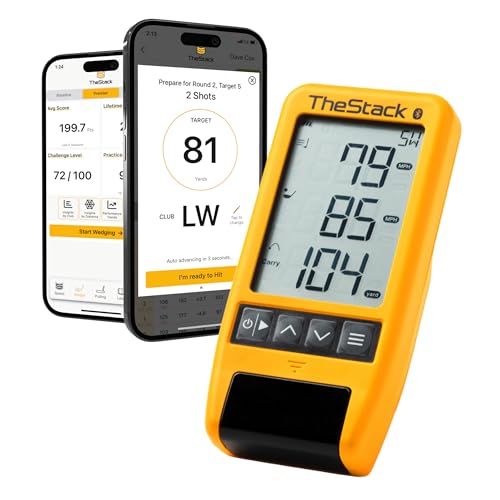
TheStack Radar focuses on speed training and simple feedback. It pairs with a training app to help you build swing speed safely. While not a full data suite, it shines in what it does: measure swing speed and track progress over time. For beginners, adding speed the right way can unlock distance fast.
If you’re working with overspeed sticks or just grinding driver, this tool keeps you on track. It’s portable, straightforward, and good for quick reps. You can add it to your practice without moving mats and nets around. For pure speed, it’s a tidy solution.
Pros:
- Accurate swing speed tracking
- App-based speed programs
- Lightweight and easy to carry
- Great for driver practice
- Simple display and workflow
Cons:
- Not a full launch monitor for ball data
- No spin or path metrics
- Best used with speed training aids
My Recommendation
Pick this if your main goal is speed and distance and you already have a way to see ball flight. It’s not the Best golf launch monitor for beginners for full data, but it’s great for speed tracking. Pair it with range sessions or another device for ball numbers. Stock is usually strong and price is consistent.
| Best for | Why |
|---|---|
| Speed training | Focuses on swing speed growth |
| Driver practice | Instant feedback on speed gains |
| Portable workouts | Small and quick to deploy |
PRGR HS130-A Portable Launch Monitor

The PRGR HS130-A is a fan-favorite for budget speed and distance tracking. It measures swing speed, ball speed, carry, and smash factor quickly. You don’t need a phone or app, and batteries last a long time. It’s small enough to sit behind the ball without distraction.
For beginner golfers, this device gives honest feedback on contact quality. Smash factor shows how efficiently you strike it. Use it to test tee height, new shafts, or grip tweaks. If you want value without subscriptions, this unit is hard to beat.
Pros:
- Affordable and reliable
- Measures swing and ball speed plus carry
- Smash factor for contact feedback
- No phone required
- Runs a long time on batteries
Cons:
- No spin data
- No simulator features
- Display is basic
My Recommendation
If you want the Best golf launch monitor for beginners under a tight budget, get the PRGR. It’s great for tracking speed gains and contact quality. You won’t get premium data, but you get the core stats that drive improvement. It’s widely available and an easy first purchase.
| Best for | Why |
|---|---|
| Budget buyers | Low price, high utility |
| Contact training | Smash factor reveals strike quality |
| Basic gapping | Carry distances are quick to read |
Swinora Launch Monitor & Simulator

The Swinora system brings a 3D trajectory view and virtual course play to a portable package. It supports both iOS and Android, which is helpful if your family uses different phones. You can practice indoors or outside with a clear look at ball flight. That keeps your sessions fun and varied.
Beginners will like the blend of simple data and visual feedback. You can spend less time on settings and more time hitting. While not a pro-level tracker, it covers the basics well. It’s a solid choice when you want simulator fun without breaking the bank.
Pros:
- iOS and Android support
- 3D trajectory and virtual courses
- Indoor and outdoor flexibility
- Easy to use and transport
- Good mix of fun and function
Cons:
- Not as data-rich as higher-end models
- App experience can vary by device
- Needs space for safe indoor swings
My Recommendation
If you want the Best golf launch monitor for beginners with cross-platform support, Swinora deserves a look. It’s best for family setups and casual sim play. The visuals add joy to practice, which keeps you consistent. It’s often in stock and priced right for what it offers.
| Best for | Why |
|---|---|
| Multi-device homes | Works on iOS and Android |
| Fun-first practice | 3D flight and course play |
| Casual indoor bays | Simple setup, flexible space |
Voice Caddie SC300 Launch Monitor

The SC300 builds on the simple style of the SC200 but adds Bluetooth and app support. You still get voice readouts and a bright screen for easy viewing. The app stores sessions and helps you watch your progress. Carry, swing speed, ball speed, and smash are quick to read.
I like the balance here: screen when you want it, app when you need it. Beginners can start on-screen and later move into the app for trends. It’s friendly, clear, and reliable. If you want a bridge between no-app and app, the SC300 fits well.
Pros:
- Bright screen with voice output
- Optional app for data storage
- Accurate carry and speed numbers
- Simple modes for target work
- Solid battery life
Cons:
- No advanced spin or path
- App is basic compared to high-end systems
- Not built for full sim play
My Recommendation
The SC300 is the Best golf launch monitor for beginners who want a clean screen now and app tracking later. It suits gap testing and general practice. You’ll gain confidence in carry numbers and tempo. Pricing is fair and units are usually available.
| Best for | Why |
|---|---|
| Screen-first users | Clear readouts and voice feedback |
| Progress tracking | App stores session history |
| Distance control | Modes support gapping work |
FAQs Of Best golf launch monitor for beginners
What metrics matter most for beginners?
Focus on carry distance, ball speed, club speed, launch angle, and smash factor. These show strike quality and distance control. Spin helps, but it’s not essential on day one.
Can I use these indoors with a net?
Yes, many work indoors. Check each unit’s required space and setup distance. Good lighting and a quality mat help accuracy.
Do I need simulator software as a beginner?
No. It’s optional. Sim play is fun and can keep you practicing. But basic launch monitors without sims still drive fast improvement.
How accurate are budget launch monitors?
Most budget models are consistent for speed and carry. Spin and path can vary more. Use them to track trends over time, not just single shots.
Which is the Best golf launch monitor for beginners overall?
The Garmin Approach R10 is my top pick for most beginners. It balances features, price, and ease. It also supports simulator play as you grow.
Final Verdict: Which Should You Buy?
If you want the Best golf launch monitor for beginners that balances price, data, and growth, pick the Garmin Approach R10. It works indoors and outdoors and supports sim play as you improve.
On a tight budget, the PRGR HS130-A gives honest speed and carry. If you want video and spin early, consider the Rapsodo MLM2PRO. Choose what fits your space and routine, then practice with purpose.