Are you serious about improving your golf game but unsure if investing in a golf launch monitor for home practice is really worth it? You want to get better, but with so many gadgets out there, it’s hard to know which ones truly make a difference.
Imagine having instant feedback on your swing, ball speed, and launch angle right in your own backyard—could that be the secret to faster progress? You’ll discover how a launch monitor can transform your practice sessions and whether it’s the right tool to help you lower your scores.
Keep reading to find out if this investment matches your goals and budget.

Benefits Of A Launch Monitor
Using a golf launch monitor at home offers many benefits. It helps golfers practice more effectively and understand their swings better. The device gives clear, instant feedback that can improve your skills over time.
Here are some key benefits of using a launch monitor for home practice.
Improving Swing Accuracy
A launch monitor shows detailed data about your swing path and speed. You see what parts of your swing need work. This helps you make small changes that lead to better shots. Accurate swings lead to better control and consistency.
Tracking Ball Flight
The device tracks how the ball moves after you hit it. You get info on distance, height, and direction. This helps you understand how your swing affects the ball. You can practice hitting the ball exactly where you want.
Analyzing Club Performance
A launch monitor measures how each club performs. It shows club speed, angle, and impact quality. This helps you choose the right club for each shot. You learn how to use your clubs better and improve your overall play.

Types Of Launch Monitors
Golf launch monitors come in several types. Each type uses different technology to measure your swing and ball flight. Understanding these can help you pick the right one for home practice. Let’s explore the main types of launch monitors.
Radar-based Systems
Radar-based launch monitors use radio waves to track the ball and club. They send signals that bounce off the ball and return to the device. This data shows ball speed, spin, and trajectory. These systems work well outdoors and in large spaces. They usually provide accurate distance and speed readings. Some models can be costly but offer detailed insights.
Camera-based Systems
Camera-based launch monitors capture high-speed images of the ball and club. They analyze these pictures to measure speed, angle, and spin. These systems work better indoors and in smaller spaces. They are often more affordable than radar systems. Some camera-based models require good lighting for best results. They offer easy setup and portability.
Hybrid Models
Hybrid launch monitors combine radar and camera technology. This blend improves accuracy and adds more data points. Hybrid models track both ball flight and club movement well. They fit various practice environments, indoor or outdoor. While pricier than single-tech monitors, hybrids offer a balanced option. They suit golfers wanting detailed feedback at home.
Key Features To Consider
Choosing the right golf launch monitor for home practice depends on several key features. These features affect how useful and easy the device is. Understanding them helps pick a monitor that fits your needs and space.
Data Metrics Provided
Check what data the monitor shows. Important metrics include ball speed, launch angle, spin rate, and carry distance. These numbers help track your swing and ball flight. Some monitors also offer club speed and smash factor. More data means better feedback for improving your game.
Portability And Setup
Consider how easy it is to move and set up the device. Some monitors are small and lightweight, perfect for limited space. Others need more room and fixed setup. A simple setup saves time and encourages regular practice. Portability allows practice inside or outside, adding flexibility.
Compatibility With Devices
Look at which devices the monitor works with. Most connect via Bluetooth or Wi-Fi to smartphones, tablets, or computers. Check if the monitor’s app runs on your device’s operating system. Good compatibility means smooth data transfer and easier analysis. It also supports updates and extra features.

Cost Vs. Value
Choosing a golf launch monitor means weighing cost against value. The price tag can vary a lot, but the question is what you get in return. A launch monitor offers data to improve your swing and practice at home. This section breaks down the costs and shows if it is worth the money for you.
Price Ranges
Golf launch monitors range from budget to high-end models. Entry-level devices start around $200 to $500. These offer basic data like ball speed and distance.
Mid-range monitors cost between $500 and $2,000. They provide more detailed metrics, including club path and spin rate. High-end models can exceed $2,000. These include advanced features and high accuracy.
Long-term Investment
Buying a launch monitor is an investment in your golf practice. It helps track progress and identify areas to improve. Over time, the data can lead to better skills and lower scores.
Using it regularly at home saves money on lessons and driving range visits. The value grows with consistent use and dedication to practice.
Alternatives To Launch Monitors
Some golfers use apps or video analysis as cheaper options. These tools provide some feedback but lack precise data.
Traditional methods like using a mirror or recording swings also help. They cost less but may not give complete information.
Choosing the right tool depends on your budget and how serious you are about practice.
Setting Up At Home
Setting up a golf launch monitor at home can improve your practice sessions. It helps track your swing and ball flight with accuracy. Proper setup makes sure you get the best results and avoid damage. Consider space, lighting, and how it works with other practice tools.
Space Requirements
A good space is key for a launch monitor at home. You need enough room to swing freely without hitting walls or furniture. Most monitors need about 10 to 12 feet length for full swings. Width should allow a natural stance and movement. Keep the floor clear and flat for safety and better data.
Lighting And Environment
Light affects how well the monitor reads your shots. Bright, even light works best. Avoid strong shadows or direct sunlight on the hitting area. Indoor setups benefit from soft, consistent lighting. Also, control wind and noise for a calm practice space. A clean, quiet area helps focus and improves accuracy.
Integration With Practice Aids
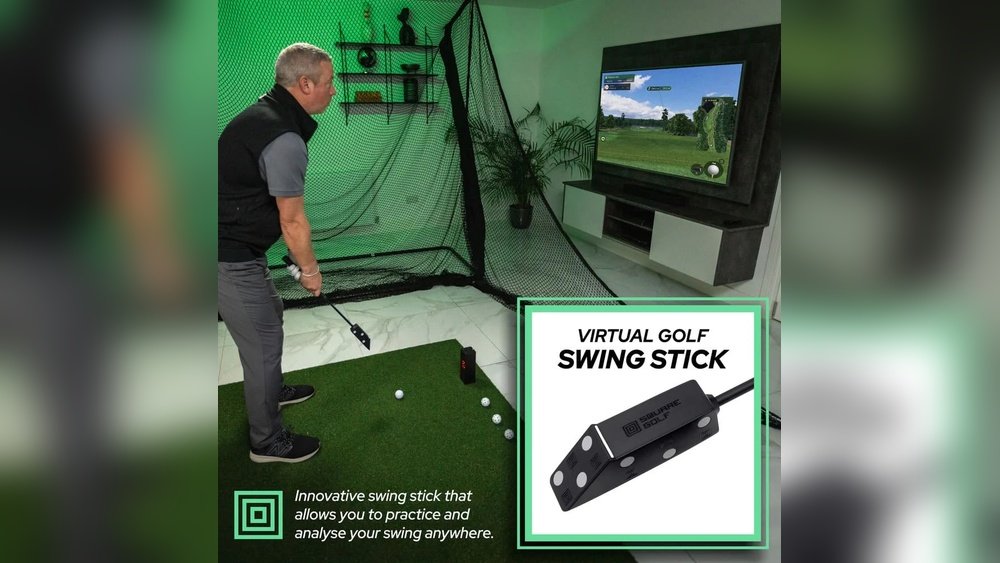
Combine the launch monitor with mats, nets, and tees for complete practice. Choose a hitting mat that fits your space and feels natural. Nets catch balls safely and save space outside. Some monitors connect with apps or simulators for extra feedback. This setup helps you track progress and practice smartly.
User Experience And Learning Curve
Using a golf launch monitor at home can feel new and a bit tricky. The user experience and learning curve matter a lot for practice. You want a device that is simple to use and helps you understand your swing better. The time it takes to learn how to read the data also affects how useful it is. Watching your progress over time keeps you motivated and shows real improvement.
Ease Of Use
Good launch monitors have simple controls and clear screens. Setting them up should not take long. Most devices connect easily to phones or tablets. You do not need special skills to start using them. Clear instructions help beginners feel confident quickly. Ease of use makes regular practice less of a chore.
Interpreting Data
Launch monitors show numbers about speed, angle, and distance. These numbers tell you how well you hit the ball. At first, data can seem confusing or too detailed. Some monitors offer simple reports or visuals to explain results. Learning basic terms helps you understand your swing better. Over time, reading data becomes easier and more natural.
Improvement Tracking
Tracking your progress is key to better golf skills. Most launch monitors save past sessions for review. You can compare your swings day by day or week by week. Watching small improvements keeps you motivated. Seeing your data improve feels rewarding. This tracking turns practice into a clear path to getting better.
Popular Launch Monitor Brands
Golf launch monitors help players improve their swing and accuracy. Many brands offer different features and prices. Choosing the right one depends on your needs and budget. Some brands are well-known for quality and reliability. Others focus on affordability or advanced technology.
This section covers popular launch monitor brands. It highlights top models for home use, budget-friendly options, and high-end performance choices.
Top Models For Home Use
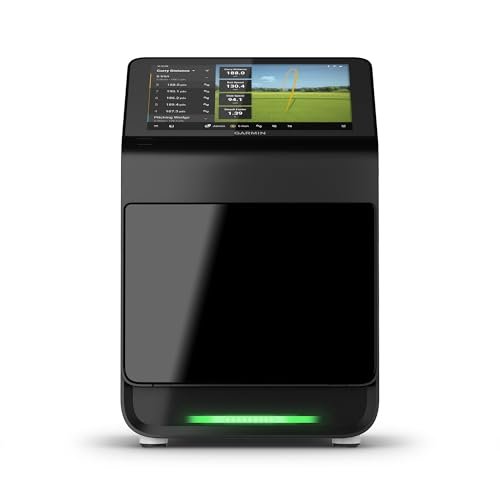
Brands like SkyTrak, Garmin, and FlightScope offer models ideal for home practice. These monitors provide accurate data on ball speed, launch angle, and spin. They are compact and easy to set up indoors. Many connect to apps for instant feedback. These models suit players wanting detailed info without bulky equipment.
Budget-friendly Options
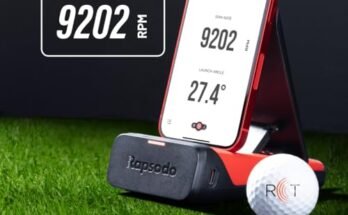
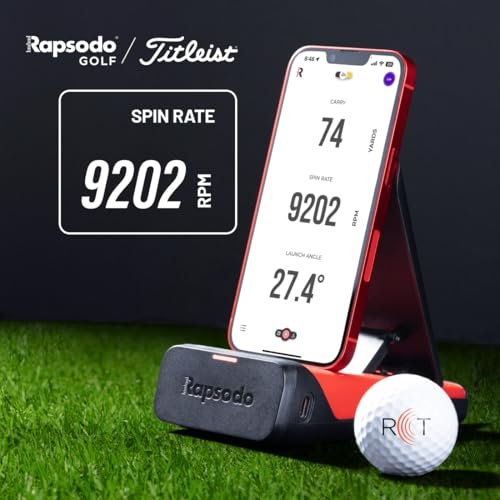
Brands such as Rapsodo and Swing Caddie focus on lower prices. Their monitors deliver essential data like club speed and ball flight. These are simpler but useful for casual practice. They often come with mobile app support. Budget options suit beginners and hobbyists who want to track progress affordably.
High-end Performance Choices
Foresight Sports and TrackMan lead in high-end golf technology. Their launch monitors offer precise data for every swing aspect. These models include advanced features like 3D ball tracking and club path analysis. They require more space and investment. Serious golfers and coaches use these for deep training insights.
Real User Feedback
Many golfers share their honest thoughts about using golf launch monitors at home. Real user feedback gives clear insights into the pros and cons. It helps to understand what to expect before buying one. Below are common praises, typical drawbacks, and useful tips from experienced users.
Common Praise
Users often highlight how launch monitors improve their practice sessions. They say the devices provide detailed data on swing speed, ball flight, and distance. Many find the instant feedback helpful for quick adjustments. Some mention the convenience of practicing anytime at home. Others appreciate the device’s ability to track progress over time. Many feel it adds a professional touch to their training routine.
Typical Drawbacks
Some users report challenges with device accuracy, especially indoors. Small spaces can affect data reliability and ball flight simulation. A few mention the initial setup can be tricky and time-consuming. Battery life and device durability also come up as concerns. Price is a common point; some find launch monitors expensive. Noise from the device can distract during practice for certain users.
Tips From Experienced Users
Experienced users suggest placing the monitor on a stable surface for best results. They advise clearing enough space to allow a full swing safely. Using compatible software or apps helps analyze data better. Regular calibration improves accuracy and device lifespan. Some recommend starting with a budget model before investing in high-end versions. Watching online tutorials can simplify setup and use.
Frequently Asked Questions
What Is A Golf Launch Monitor?
A golf launch monitor is a device that measures ball flight data. It tracks parameters like ball speed, launch angle, and spin. This helps golfers analyze and improve their swing and overall performance.
How Accurate Are Golf Launch Monitors At Home?
Home golf launch monitors provide accurate data but may have slight variations. Accuracy depends on the device’s technology and setup. High-end models offer precision comparable to professional systems, making them reliable for home practice.
Can A Launch Monitor Improve My Golf Skills?
Yes, launch monitors provide instant feedback on your shots. This data helps identify swing flaws and track progress. Consistent use leads to better technique, distance control, and overall game improvement.
Are Golf Launch Monitors Expensive For Home Use?
Prices vary widely, from affordable entry-level to premium models. Basic monitors cost a few hundred dollars, while advanced units reach thousands. Choose based on your budget and practice needs.
Conclusion
A golf launch monitor can help improve your practice at home. It gives clear data about your swing and ball flight. This feedback helps you spot mistakes quickly. Using one saves time compared to going to the course. It also makes practice more fun and focused.
Not everyone needs one, but many find it useful. Think about your budget and goals before buying. A launch monitor can add value if used often. Practice smart and enjoy your golf journey.