Are you setting up a golf launch monitor indoors and wondering if lighting makes a difference? You might think any light will do, but the truth could surprise you.
The right lighting can impact how accurately your launch monitor reads your swing, ball speed, and trajectory. If you want to get the most precise data and improve your game, understanding the role of special lighting is key. Keep reading to discover what kind of indoor lighting your golf launch monitor really needs—and why it matters for your practice sessions.

How Launch Monitors Work Indoors
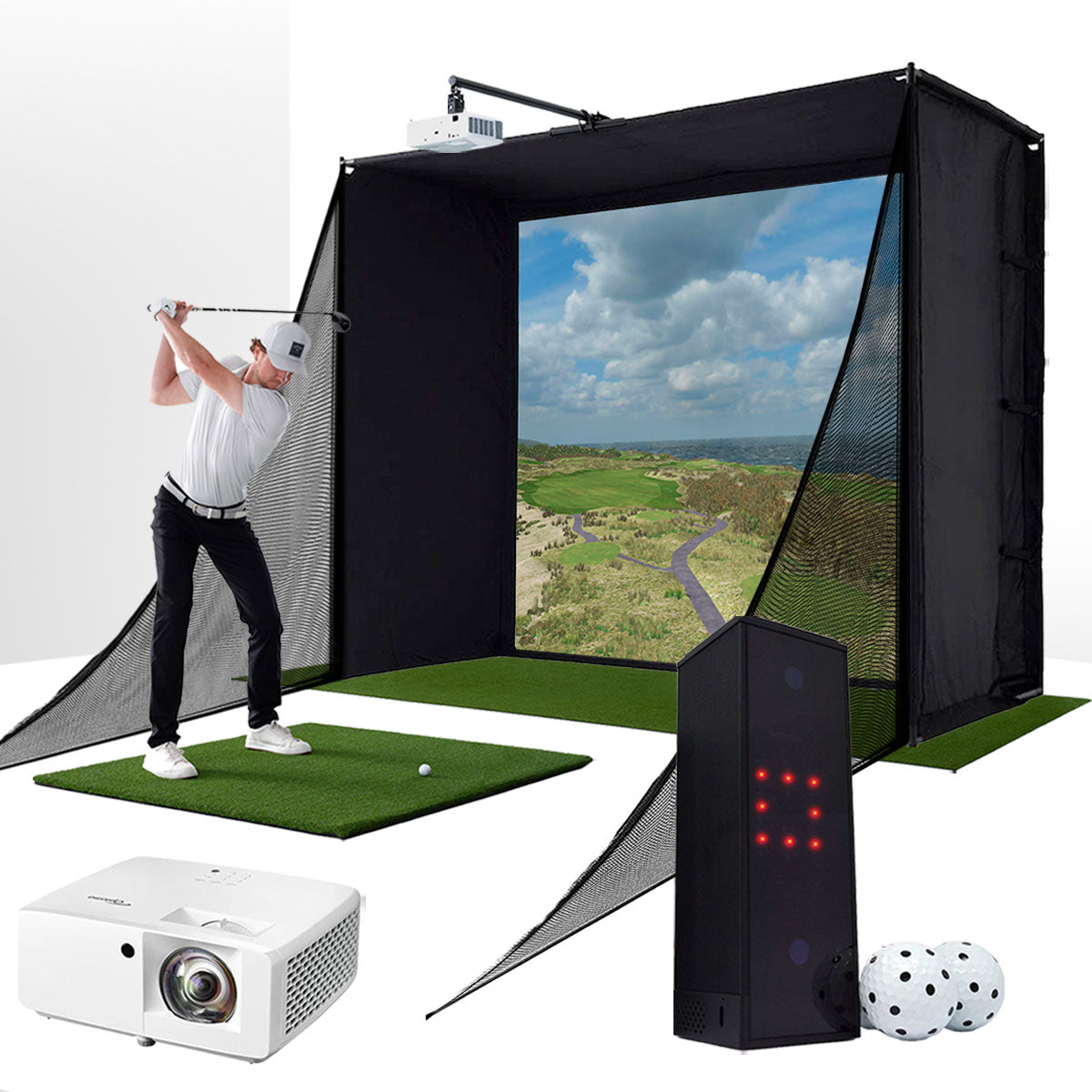
Indoor golf launch monitors track the golf ball’s flight and club movement. They help players practice and improve their swings inside. Understanding how these devices work indoors can guide proper setup and use. Lighting plays a key role in how well these monitors capture data.
Key Technologies Behind Launch Monitors
Launch monitors use radar, cameras, or infrared sensors to track the ball and club. Radar measures speed and direction by sending radio waves. Cameras capture high-speed images to analyze the ball’s spin and angle. Infrared sensors detect heat and movement for precise data. These technologies work together to provide accurate swing feedback.
Role Of Lighting In Sensor Accuracy
Good lighting helps sensors capture clear and sharp images. Shadows or dark spots can cause errors in ball tracking. Bright, even light reduces sensor mistakes and improves data quality. Some launch monitors need direct light, while others work well in softer light. Indoor lighting should be consistent to avoid false readings. Proper lighting ensures the monitor gives reliable results every time.
Types Of Indoor Lighting And Their Impact
Lighting plays a key role in indoor golf setups. It affects how well launch monitors work. Different lights change how the sensors read the ball and club. Understanding lighting types helps you create a better practice space.
Some lights give clear views and accurate readings. Others cause shadows or glare. Choosing the right lighting keeps your practice smooth and realistic.
Natural Vs Artificial Light
Natural light comes from the sun through windows. It offers bright and balanced lighting. But natural light changes during the day. Clouds or time can affect its strength.
Artificial light stays steady all day and night. It lets you practice anytime. But some artificial lights may cause reflections or uneven brightness. Picking the right type is important for accuracy.
Led, Fluorescent, And Incandescent Effects
LED lights are bright and use less energy. They create clear and steady light with little heat. LEDs reduce shadows and help launch monitors work well.
Fluorescent lights are common and cost less. They can flicker or hum, which may disrupt some sensors. Fluorescent light is softer but less consistent than LED.
Incandescent bulbs give warm light but produce more heat. They use more energy and can cause glare. This can affect the launch monitor’s camera and sensors.
Lighting Challenges In Indoor Golf Setups
Indoor golf setups need good lighting for accurate launch monitor readings. Poor lighting can cause problems with sensors and cameras. This affects the data and the overall experience. Lighting must be balanced to avoid glare and shadows. Brightness and color temperature also play important roles. Understanding these challenges helps create better indoor golf environments.
Glare And Shadows
Glare can blind sensors on golf launch monitors. It makes it hard to track the ball and club. Bright lights from windows or lamps cause glare. Shadows also affect tracking. Shadows can hide the ball or club during the swing. Even small shadows confuse the monitor. Positioning lights to reduce glare and shadows is key for good results.
Color Temperature And Brightness
Color temperature affects how sensors see the ball. Cool white lights (5000K-6500K) work best for clarity. Warm lights create a yellow tint that can confuse sensors. Brightness matters too. Too dim lights make it hard to capture details. Too bright lights cause glare and reflections. The goal is balanced, bright, cool light for accurate readings.
Expert Tips For Optimal Indoor Lighting
Proper lighting plays a big role in indoor golf launch monitor accuracy. Poor lighting can cause wrong data and affect your practice quality. Experts share tips to help you set up the best lighting. These tips ensure your launch monitor works well and your swing improves faster.
Ideal Light Placement
Place lights so they do not shine directly on the monitor sensor. Bright light hitting the sensor can cause false readings. Position lights to brighten the hitting area evenly. Avoid shadows on the ball or the club. Use multiple light sources to cover all angles. Keep lights away from the player’s eyes to prevent glare.
Recommended Lighting Intensity
Use moderate light levels for clear visibility without glare. Too bright lights can reflect off the ball and cause errors. Too dim lights make it hard for the monitor to track the ball. Aim for a lighting intensity around 500 to 1000 lux. This range helps the monitor capture accurate data. Use dimmable lights to adjust brightness as needed.
Common Myths About Launch Monitor Lighting
Many golfers worry about the lighting needed for indoor golf launch monitors. Some believe special lighting is a must. Others think more light always helps. These ideas are common myths. Understanding the truth can improve your indoor golf setup.
Do You Need Special Lamps?
Most launch monitors work well with standard indoor lighting. Special lamps are usually not needed. These devices use infrared or radar sensors that do not depend on bright lights. Normal room light is often enough for accurate readings. Focus on a well-lit room rather than special bulbs.
Is More Light Always Better?
Bright light does not always improve launch monitor performance. Too much light can cause glare or shadows. This might affect sensor accuracy. Balanced lighting is best. Soft, even light helps the monitor track the ball and club clearly. Avoid harsh or direct lighting that creates strong shadows.
Diy Lighting Solutions For Home Golf Studios
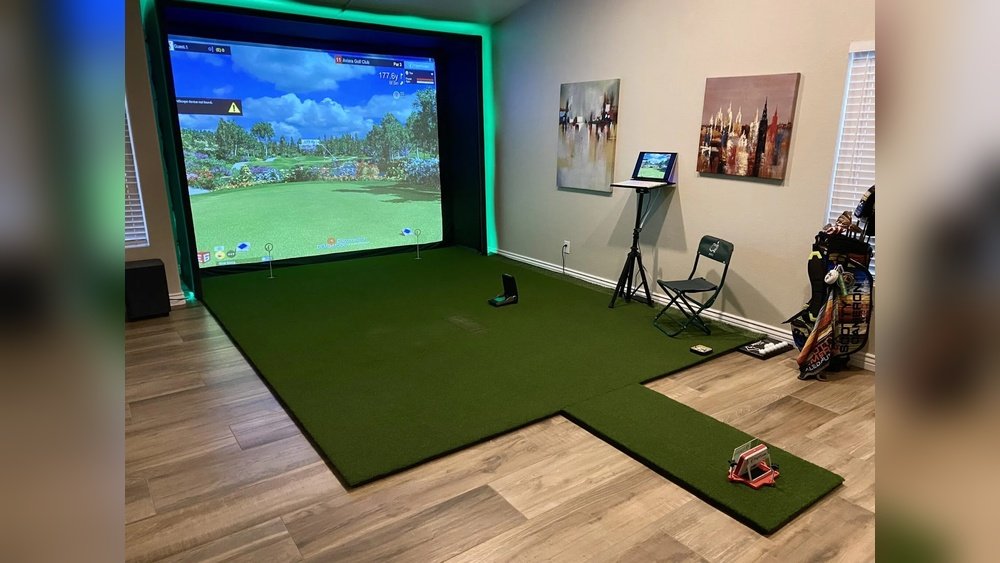
Creating a home golf studio can be a fun project. Good lighting helps your golf launch monitor work well. Bright, even light reduces shadows and improves accuracy. Special lighting is not always needed. Simple DIY solutions can work well and save money.
Affordable Lighting Options
LED bulbs are a great choice. They use little energy and last long. You can find bright LED bulbs at local stores. Clamp lamps allow you to move lights easily. Use soft white bulbs to reduce glare. Avoid very warm or cool light to keep colors natural. Cheap desk lamps with LED bulbs also work fine.
Simple Setup Adjustments
Place lights above and to the sides of the hitting area. This reduces shadows on the ball and club. Avoid direct light in the monitor’s sensor area. Use diffusers or white cloth to soften harsh light. Adjust lamp height to spread light evenly. Test your setup by hitting a few balls and watching the monitor’s readings.
Future Trends In Launch Monitor Lighting
Indoor golf launch monitors depend on proper lighting for accurate data. Future trends in lighting aim to improve this experience. These changes will make indoor golf more precise and user-friendly. Innovations focus on smarter lighting and better sensors. These trends will shape how golfers train and play indoors.
Smart Lighting Integration
Smart lighting systems adjust brightness and color automatically. They respond to the room’s natural light and monitor needs. This helps create the perfect environment for the launch monitor. Smart lights reduce shadows and glare that can affect readings. Users can control lighting with apps or voice commands. This makes setting up easier and faster.
Advancements In Sensor Technology
New sensors work better under different lighting conditions. They capture ball and club movement more accurately. These sensors need less light to function well. This allows for softer, less harsh lighting indoors. Improved sensors reduce errors caused by poor light. They help golfers get more reliable feedback during practice.

Frequently Asked Questions
Do Golf Launch Monitors Work In Low Indoor Lighting?
Most golf launch monitors perform well in moderate indoor lighting. However, extremely low light may reduce sensor accuracy and tracking precision.
Is Special Lighting Required For Indoor Golf Launch Monitors?
Special lighting is usually not required. Consistent, glare-free lighting helps improve monitor performance and ensures accurate ball and club data.
How Does Lighting Affect Launch Monitor Accuracy Indoors?
Proper lighting minimizes shadows and reflections that can interfere with sensors. This leads to more precise readings of ball speed and spin.
Can Ambient Indoor Light Impact Launch Monitor Readings?
Yes, inconsistent or harsh ambient light can cause sensor errors. Soft, even lighting provides the best environment for reliable data collection.
Conclusion
Good lighting helps golf launch monitors work better indoors. Bright, even light reduces shadows and improves sensor accuracy. Avoid very dark or overly bright spots near the device. Using normal room lighting usually works fine for casual practice. Special lighting is not always required but can enhance results.
Keep the area well-lit and free from glare for the best experience. This simple step can help you enjoy your indoor golf sessions more.