Have you ever been out on the golf course, relying on your GPS golf watch, only to have it run out of battery at the worst moment? If you’re wondering how often you need to charge your GPS golf watch, you’re not alone.
Understanding the charging needs of your device can save you from frustrating interruptions and help you focus on your game. You’ll discover exactly how regular charging affects your golf watch, what to expect from battery life, and simple tips to keep your device ready when you are.
Keep reading to make sure your GPS golf watch never lets you down on the course.
Battery Life Of Gps Golf Watches
Battery life is a key feature of GPS golf watches. It decides how long the watch stays powered during your golf rounds. Knowing about battery life helps you plan charging and avoid interruptions while playing. This section explains how long these watches typically last and what affects their battery use.
Typical Usage Duration
Most GPS golf watches last about 10 to 15 hours in full GPS mode. This length covers a full 18-hole round without charging. Some models offer up to 20 hours or more. In regular watch mode, battery life can stretch to several days. Charging is usually needed after a few rounds or days of use.
Factors Affecting Battery Drain
Using GPS constantly drains the battery faster. Bright screen settings and frequent alerts also reduce battery time. Running extra features like heart rate monitors or Bluetooth connection shortens battery life. Cold weather can lower battery performance too. Managing these settings helps extend the watch’s charge during play.
Charging Frequency For Gps Watches
GPS golf watches need charging to work properly. The frequency depends on the model and usage. Some watches last several days on one charge. Others require daily charging for best performance.
Understanding how often to charge your GPS watch helps avoid interruptions during play. It also keeps the device ready for accurate tracking and distance measurements. Battery life can change with features like backlight and GPS usage.
Daily Vs Occasional Charging
Some GPS golf watches need charging every day. These usually have smaller batteries or many features that drain power quickly. If you use GPS and the screen often, daily charging is best.
Other models hold charge for several days. They work well for players who golf less often or prefer to charge only before a game. Occasional charging suits watches with power-saving modes or lower GPS use.
Signs Your Watch Needs Charging
Watch battery warnings appear on the screen. This is the first sign to charge the watch. Slower response and dimmer screens also show low battery.
If GPS stops working or data does not update, the battery may be low. Charging your watch restores full function quickly. Regularly check the battery level before starting your round.
Best Charging Practices
Charging your GPS golf watch properly helps keep it working well for a long time. Good charging habits can protect the battery and keep the watch ready for your next round. Follow these simple tips to get the best from your device.
Proper care during charging stops damage and extends battery life. Small steps make a big difference.
Avoiding Overcharging
Do not leave your golf watch plugged in after it reaches 100%. Overcharging can reduce battery life. Unplug the watch as soon as it is fully charged. This prevents overheating and saves power. Charge your watch only when needed, not every day.
Using Original Chargers
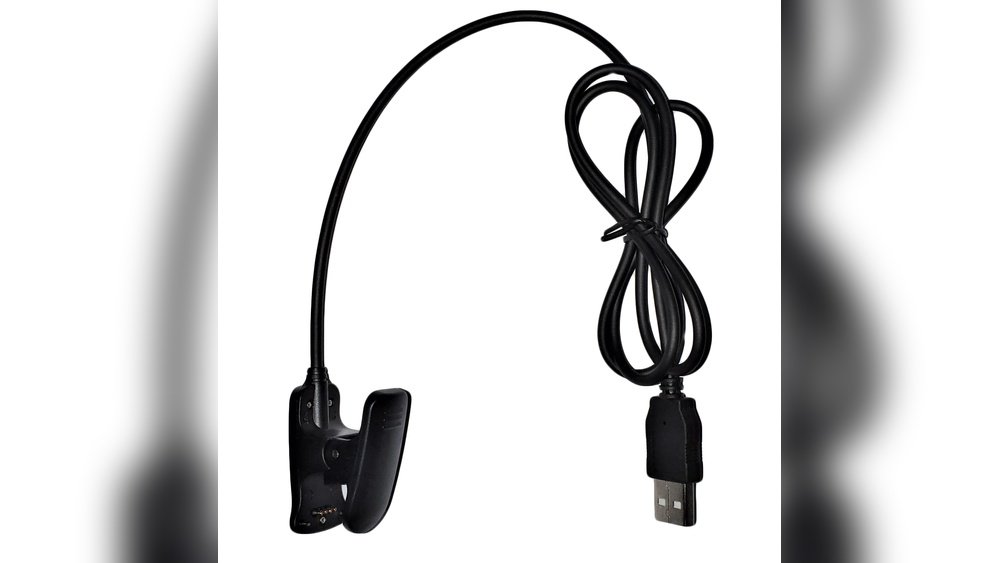
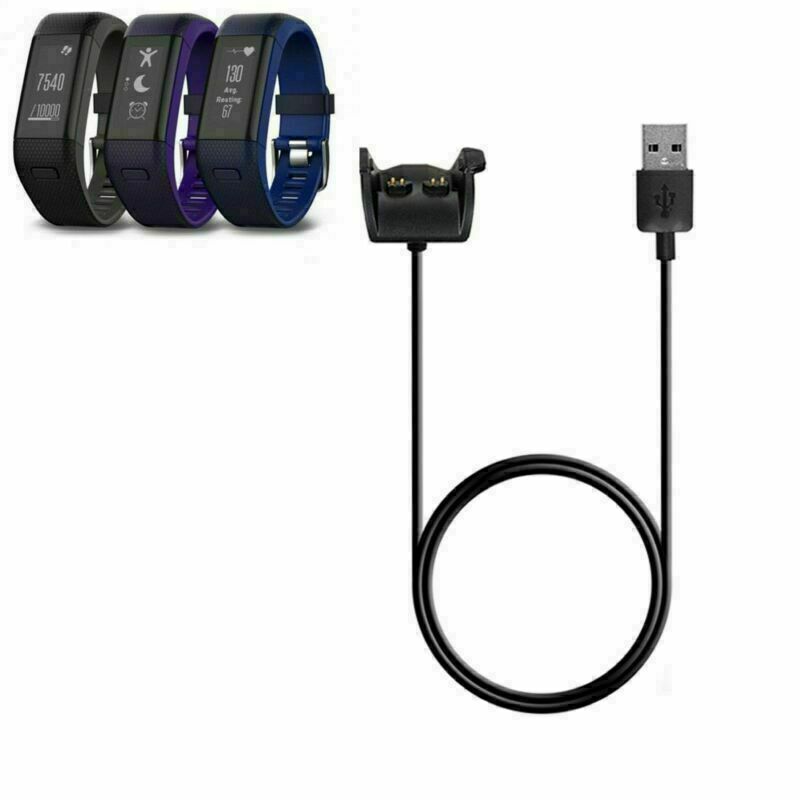
Use the charger that came with your GPS golf watch. Original chargers fit perfectly and deliver the right power. Third-party chargers may cause damage or charge slowly. They can also harm the battery and reduce its lifespan. Always keep the original charger safe and use it only for your watch.

Extending Battery Performance
Extending the battery life of your GPS golf watch helps you play longer without interruptions. Good battery performance means fewer charges and more time on the course. Simple steps can make a big difference in how long your watch lasts each day.
Understanding how to save power and manage settings keeps your watch ready for every round. A well-maintained battery improves your overall experience and ensures your device works when you need it most.
Power-saving Features
Many GPS golf watches have built-in power-saving modes. These modes reduce energy use by limiting background tasks. Some watches turn off the screen after a short time. Others reduce GPS accuracy to save power. Activating these features helps extend battery life during long rounds.
Turning on power-saving modes is simple and effective. It allows your watch to last through multiple games without charging.
Managing Gps And Display Settings
The GPS function uses the most battery power on golf watches. Adjusting GPS settings can save energy. Lowering the GPS update frequency reduces battery drain. Choose the shortest display time to keep the screen off when not in use.
Reducing screen brightness also helps save battery. A dimmer screen uses less power but remains easy to read. Balancing GPS and display settings keeps your watch running longer on one charge.
Troubleshooting Battery Issues
GPS golf watches need regular charging to work well. Sometimes, the battery might act up. Knowing how to fix battery problems helps keep your watch ready. This section shows common battery issues and when to replace the battery.
Common Battery Problems
Battery drains too fast. Watch shuts down suddenly. Screen dims or flickers. Charging takes longer than usual. These signs mean battery trouble. Dirt or moisture in charging port can cause issues. Using the wrong charger may damage the battery. Keeping the watch in very hot or cold places also harms battery life.
When To Replace The Battery
Battery lasts less than a few hours after full charge. Watch does not hold charge at all. Battery swells or looks damaged. Charger does not connect properly anymore. These are signs to replace the battery. Some watches allow user replacement. Others need professional help. Do not wait too long to change a bad battery. It keeps your watch working well on the course.

Frequently Asked Questions
Do Gps Golf Watches Require Daily Charging?
Most GPS golf watches need charging every 1-3 days depending on usage. Heavy GPS use drains battery faster. Regular charging ensures accurate tracking and optimal performance on the course.
How Long Does A Gps Golf Watch Battery Last?
Battery life varies by model but typically lasts 10-20 hours with GPS active. Some advanced watches offer up to 30 hours. Charging after every few rounds keeps the watch reliable for golf tracking.
Can I Use A Gps Golf Watch Without Charging It?
You can use it without charging, but battery will drain quickly. Limited battery means shorter GPS tracking and less accurate distance readings. Regular charging is recommended to maintain full functionality during play.
Does Gps Mode Consume More Battery Power?
Yes, GPS mode significantly increases battery consumption. The continuous satellite connection uses more energy than normal watch functions. Disabling GPS when not playing golf helps extend battery life.
Conclusion
GPS golf watches do need regular charging to work well. Their batteries run out after several hours of use. Charging keeps the watch ready for your next round. Without power, you cannot track distances or scores. It’s simple to plug in and charge overnight.
This small step ensures the watch stays accurate and helpful. Staying charged means better performance on the golf course. Don’t forget this easy habit for smooth play every time.


