A launch monitor tracks ball and club data; a simulator adds immersive play.
If you want better practice and more fun at home, you will meet two tools fast. They are the launch monitor and the simulator. I test both weekly for lessons and fittings. This guide breaks down Golf Launch Monitor vs Golf Simulator in clear terms, with data, real stories, and easy picks so you can buy with confidence.
What is a golf launch monitor?
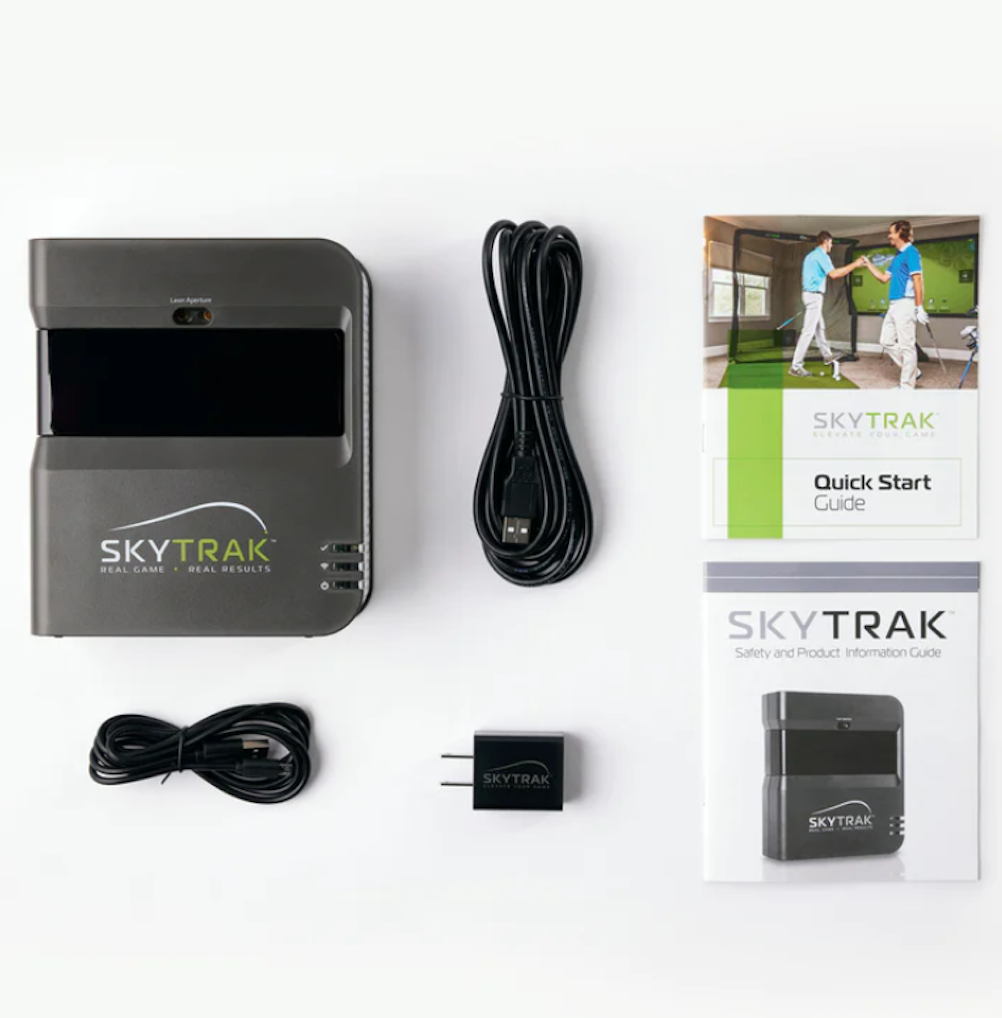
A launch monitor measures what your ball and club do at impact. It reads ball speed, launch angle, spin, and more. Some units also track club path, face angle, and attack angle.
There are two main types. Radar units sit behind you and track the ball in flight. Camera units sit by the ball and read impact with high speed images. Many golfers use radar outdoors and cameras indoors.
A few common models include PRGR, Garmin R10, FlightScope Mevo+, Foresight GC3, GCQuad, and TrackMan. Price ranges from a few hundred dollars to well over ten thousand. Accuracy goes up with price and setup.
From my fittings, the big win is feedback in seconds. You hit a shot. You see numbers you can trust. You then adjust grip, path, or face and see change right away.

What is a golf simulator?
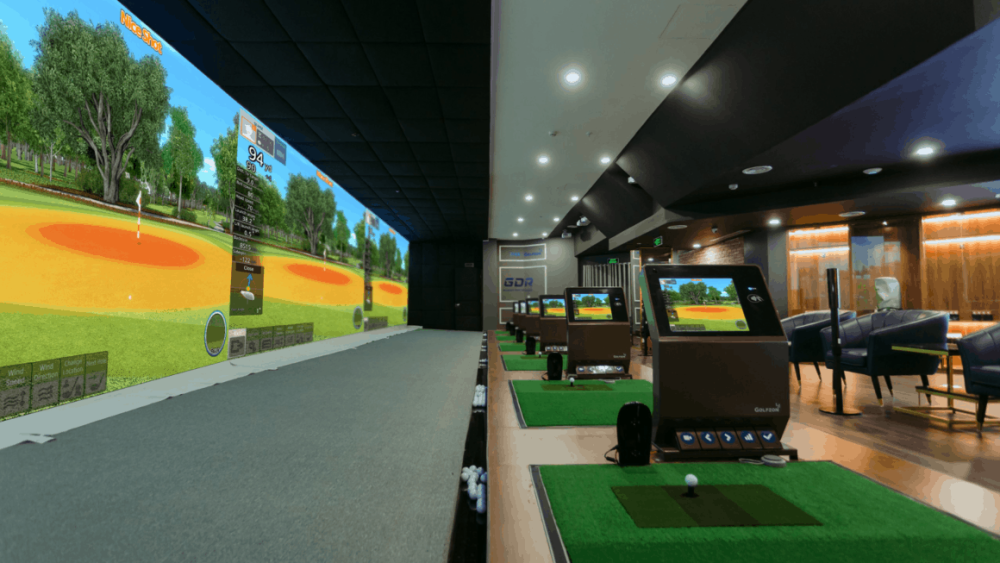
A golf simulator is a full play and practice setup. It starts with a launch monitor. It adds software, a screen, a projector, a hitting mat, and a net or enclosure.
The simulator turns your shots into on-screen ball flight. You can play famous courses. You can run skills games, target mode, and putting tests. Many systems work with E6 CONNECT, GSPro, TGC 2019, FSX Play, or native apps.
A simulator is great for home, clubs, and schools. It is also ideal for winter and night golf. I run winter leagues with a mid-tier setup. People love the group feel and fast rounds.
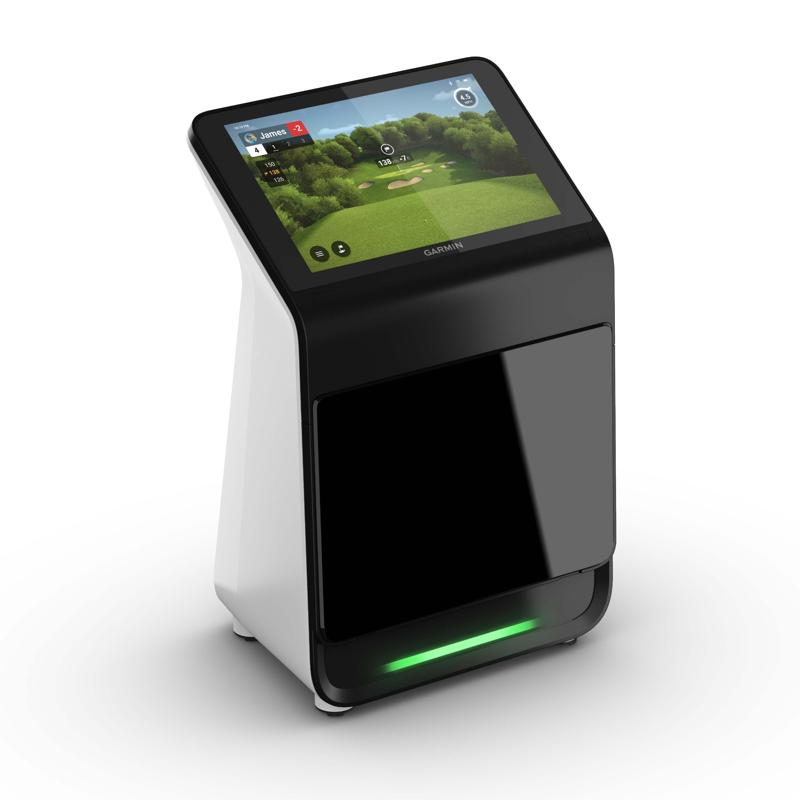
Golf Launch Monitor vs Golf Simulator: Key differences
The phrase Golf Launch Monitor vs Golf Simulator comes up a lot for a reason. They serve linked but different needs.
-
Goal
- Launch monitor: data for practice and fittings.
- Simulator: play, practice, and fun in one space.
-
Cost
- Launch monitor alone can be cheap to high end.
- Simulator adds screen, projector, turf, and software.
-
Space
- Launch monitor needs less room.
- Simulator needs ceiling height, width, and depth.
-
Use
- Launch monitor shines on the range and indoors.
- Simulator shines indoors for play and guests.
In short, Golf Launch Monitor vs Golf Simulator is purpose vs package. A monitor is the engine. A simulator is the car with seats, dash, and music. If you want pure training, start with the engine. If you want the full ride, go simulator.
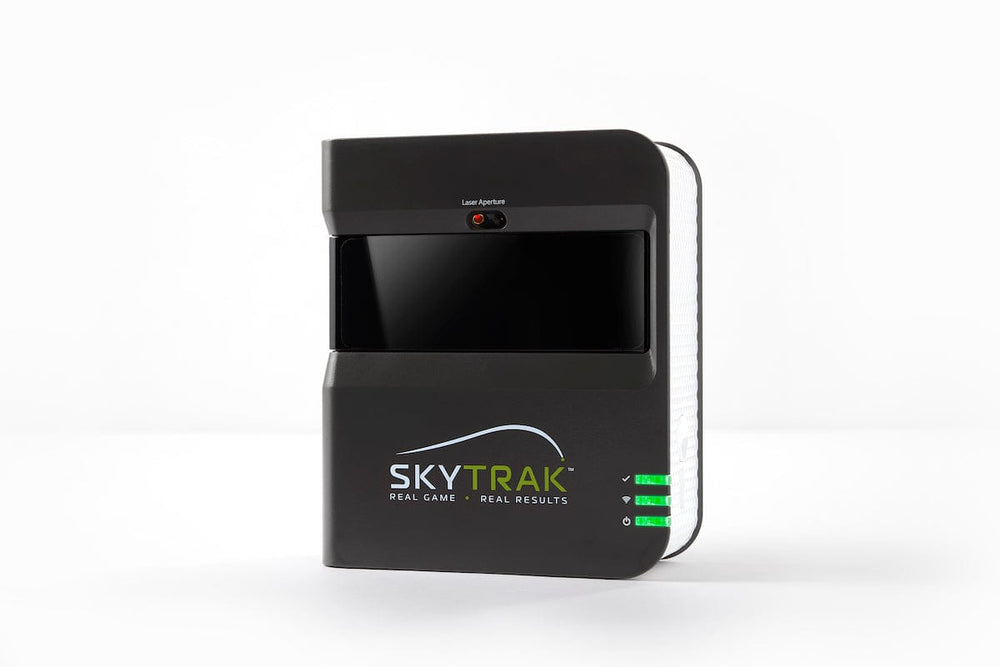
Data and accuracy: What matters most
When you compare Golf Launch Monitor vs Golf Simulator, accuracy sits at the core. A simulator depends on the launch monitor inside it. So choose that first.
- Radar units do best outdoors with real flight. They track the ball longer. Wind and range balls can add noise.
- Camera units do great indoors. They see impact and spin off the face. Good lighting helps.
Typical high-end error is small. Ball speed is within 1 to 2 mph. Spin is within a few hundred rpm. Mid-tier units are close enough for most players.
If you need club data like path and face, check the specs. Some units need club stickers. Some need add-on software. During my lessons, face to path is king. Even a cheap unit helps if it shows start line and curve. But for fine wedge spin or gapping, I use GCQuad or TrackMan.

Space, setup, and budget
Golf Launch Monitor vs Golf Simulator often comes down to your room and your wallet. Plan both before you buy.
-
Space needs
- Ceiling: 8.5 to 10 feet is safe for most swings.
- Width: 10 to 12 feet for center strike and comfort.
- Depth: 16 to 20 feet for radar. About 10 to 15 for cameras.
-
Budget ranges
- Launch monitor only: about $300 to $20,000.
- DIY simulator: about $3,000 to $7,000 with entry units.
- Mid setups: about $8,000 to $15,000 with better screens and GC3 or Mevo+ Pro.
- Premium rooms: $20,000 to $60,000 with GCQuad or TrackMan and full enclosures.
-
Setup tips
- Level the mat. Bad lie equals bad data.
- Square the screen and projector.
- Calibrate often. Update firmware and software.
I once set up a simulator in a garage with a sloped floor. Shots read thin. We shimmed the mat, re-leveled, and the numbers locked in. Little fixes matter a lot.

Training use cases and drills
Golf Launch Monitor vs Golf Simulator both help your game. Use them on purpose, not at random.
-
Wedge ladder
- Pick 40, 60, 80 yards.
- Hit three balls to each number.
- Track carry only, not total.
-
Start line gate
- Place two tees 2 feet in front of the ball.
- Push or pull misses will show fast.
- Aim for a tight window.
-
Spin control
- Use clean grooves and a quality ball.
- Note spin drop with wet or range balls.
- Compare clubs and lies.
-
Pressure game
- On a simulator, play nine holes with one mulligan only.
- Keep score for fairways, greens, and three-putts.
- Make it a weekly test.
During fittings, I teach “one change, one check.” Adjust grip or stance. Hit three balls. Read face to path and launch. Repeat. Simple beats hype.

Buyer’s guide: Picking the right path
Here is a fast map for Golf Launch Monitor vs Golf Simulator based on goals.
-
You want lessons and range work
- Choose a launch monitor first.
- Prefer camera units if indoors.
- Get a unit that shows ball speed, launch, and spin.
-
You want play with friends at home
- Choose a simulator bundle.
- Make sure your room meets size needs.
- Pick software with courses you like.
-
You want both on a budget
- Buy a versatile launch monitor now.
- Add a net, impact screen, and basic projector later.
- Use a rolling cart so you can store gear fast.
-
You fit clubs or coach
- Go mid to high end for accuracy and repeat use.
- Get club data and stable lighting.
- Add turf options for real strike tests.
Before you buy, test if you can. Take your gamer ball. Hit wedges and driver. Watch left and right misses. If the numbers match your eyes, you found a fit.

Common mistakes and how to avoid them
-
Chasing only carry distance
- Also track spin, peak height, and descent angle.
- These matter more for scoring.
-
Using poor balls
- Range rocks lower spin and speed.
- Use a known ball for gapping.
-
Bad alignment
- Align unit, mat, and target line together.
- A laser or chalk line helps a lot.
-
Ignoring environment
- Indoors, fix lighting for camera units.
- Outdoors, watch wind and turf.
-
Skipping calibration
- Run the quick setup each session.
- Re-check after moving the unit.
These fixes sound small. They are not. They turn “close” into “right.”

Which one should you choose?
Think of Golf Launch Monitor vs Golf Simulator like tools in a shop. One is a ruler. One is a full bench. If your goal is skill, start with the ruler. If your goal is skill and joy at home, get the bench.
-
Pick a launch monitor if
- You want data first.
- You practice on the range.
- Space or budget is tight.
-
Pick a simulator if
- You want course play and kids’ games.
- You need year-round reps.
- You host friends and family.
I use both. For big swing changes, I lean on a monitor outside. For winter grind and fun, I live in the sim. Choose the one that fits your life right now. You can add the other later.
Frequently Asked Questions of Golf Launch Monitor vs Golf Simulator
Is a launch monitor necessary for a simulator?
Yes. The simulator depends on a launch monitor for ball and club data. Without it, the software cannot show real flight.
Can I use a radar unit indoors?
Yes, but you need more depth and a clean ball flight window. Many golfers prefer camera units indoors for spin and short shots.
How accurate are budget launch monitors?
Most budget units nail ball speed and launch well. Spin and club data can be less steady, but still useful for practice.
Do I need marked balls or club stickers?
Some units need metallic dots or club stickers for spin or club path. Check your model’s guide and test both ways.
How much space do I need for a home simulator?
Aim for at least 10 feet wide, 10 feet deep, and 9 feet high. Radar units may need more depth for tracking.
What software is best for course play?
GSPro, E6 CONNECT, and TGC 2019 are popular choices. Pick based on courses, games, and your hardware.
Will a simulator improve my handicap?
Yes, if you practice with intent and track key stats. Use structured drills and review numbers after each session.
Conclusion
Golf Launch Monitor vs Golf Simulator is not a fight. It is a fit check. The launch monitor gives you truth in numbers. The simulator gives you a stage to play, learn, and have fun. Match your choice to your space, goals, and budget.
Set one clear goal this week. Gap your wedges or build a nine-hole sim test. Then act. If this helped, subscribe for more guides, gear tests, and drills, or drop a comment with your setup and questions.